
Take a Photo. AI Fills the Form
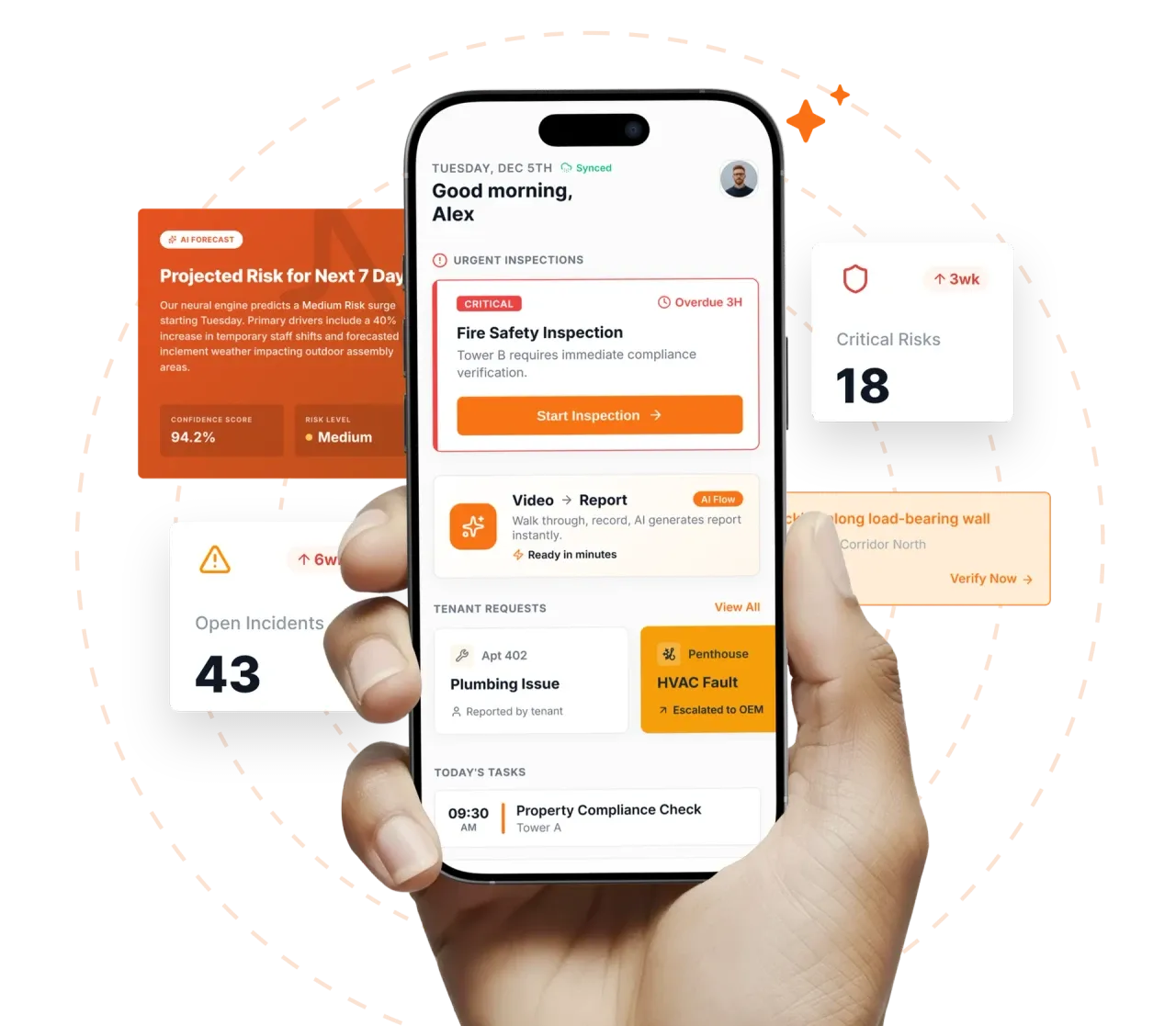
Your inspector takes a photo of any asset or defect. AI reads it and fills the inspection form automatically. No typing. No manual entry.

Convert your checklist into Mobile App
Permit To Work Inspection Tracking Software is the platform Operations Directors, Compliance Managers, and Site Leads use to run permit to work inspection tracking programmes with defensible field evidence across every site in the portfolio. Inspectly360 turns approved checklists into repeatable mobile execution: the same controls, evidence rules, and corrective-action routing on every visit and every cycle.
Permit To Work Inspection Tracking Software is the platform Operations Directors, Compliance Managers, and Site Leads use to run permit to work inspection tracking programmes with defensible field evidence across every site in the portfolio. Inspectly360 turns approved checklists into repeatable mobile execution: the same controls, evidence rules, and corrective-action routing on every visit and every cycle. Permit To Work Inspection Tracking Software gives Operations Directors real-time visibility, and SLA monitoring for multi-site Oil & Gas teams.
What changes once permit to work inspection tracking software runs on one mobile-first platform.
Oil & Gas rollout follows a measured sequence: prove the inspection layer on one cluster of sites, then scale templates and dashboards before the next audit or contract review.
On permit to work inspection tracking programmes, your existing permit to work inspection tracking checklists convert into guided templates with evidence rules and QR-tagged assets, so the standard is built in, not optional.
For permit to work inspection tracking field teams, permit To Work Inspection Tracking rounds happen on the phone in hand: required photos, named sign-off, and offline storage until the device reconnects.
Across multi-site permit to work inspection tracking rounds, no permit to work inspection tracking issue closes on trust: every failed item carries an owner, a due date, and required closure evidence.
Where permit to work inspection tracking evidence has to hold up, operations Directors use live permit to work inspection tracking dashboards and branded PDF exports to brief clients, insurers, and internal audit on Oil & Gas performance.
Everything your field team does on paper, Inspectly360 does automatically: faster, more accurate, and without the admin.
Your inspector takes a photo of any asset or defect. AI reads it and fills the inspection form automatically. No typing. No manual entry.

Inspectors speak their observations in any language. AI transcribes and fills the form in real time. Completely hands-free in the field.

The moment an inspection is submitted, a branded PDF, Excel, or CSV report generates automatically. No manual work. No waiting.

Inspectly360 integrates with the tools your team already uses, including Zoho, Microsoft 365, and SAP. No double entry.

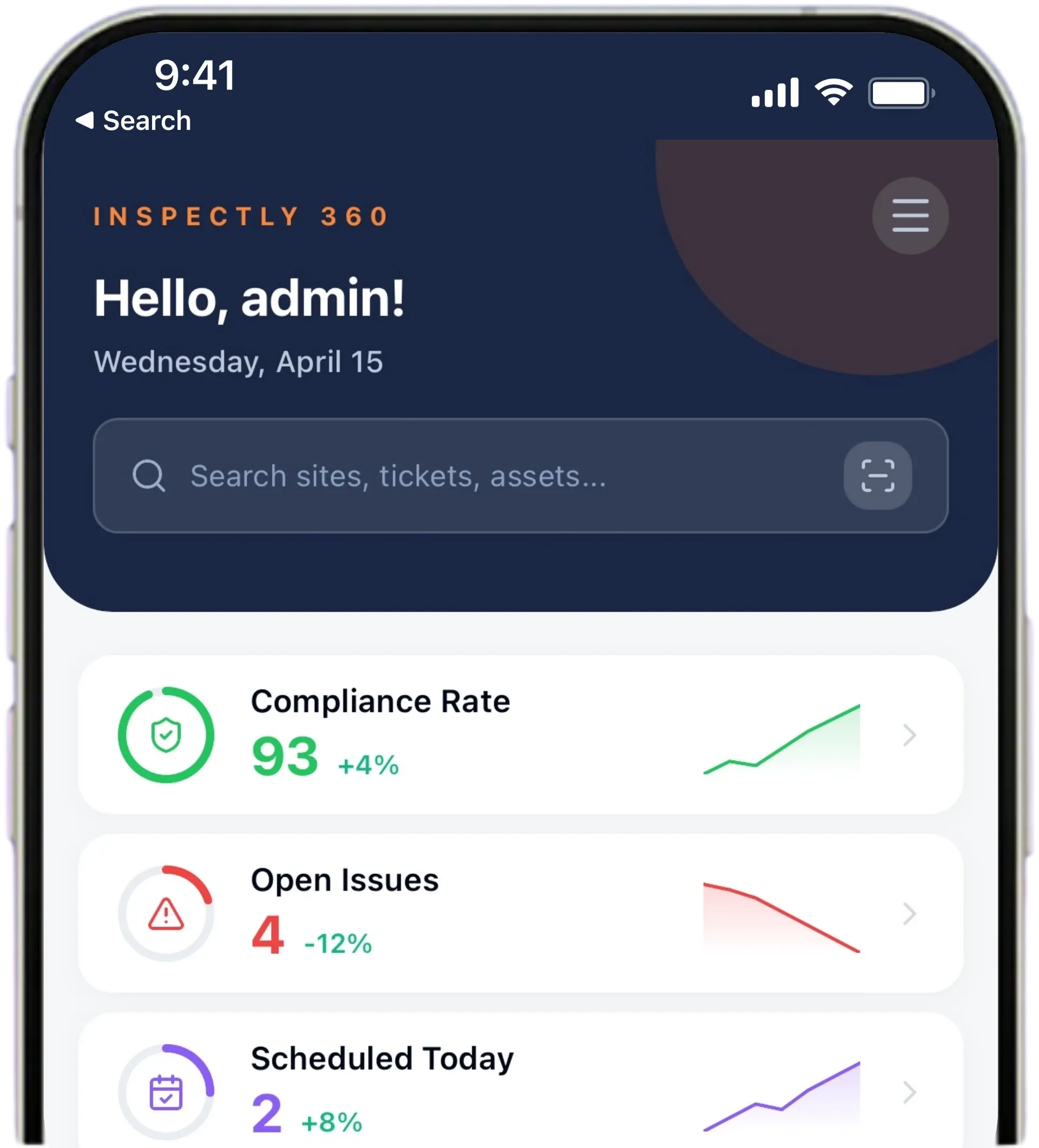
Your operations team sees completion rates, open issues, and compliance scores across all sites in real time. No chasing updates.
Manage every checklist in one connected workspace, capture evidence on mobile at the point of work, and let AI turn field inputs into clear, stakeholder-ready reports in minutes.





See which checklists your team has in progress across every site, jump into the same inspection with one tap, and keep field, supervisor, and back-office views in sync without sending screenshots on WhatsApp.






Every team reports differently. Build the report your operations, quality, or compliance leads actually want to read, share it as a branded PDF, and schedule delivery to the stakeholders who need it.


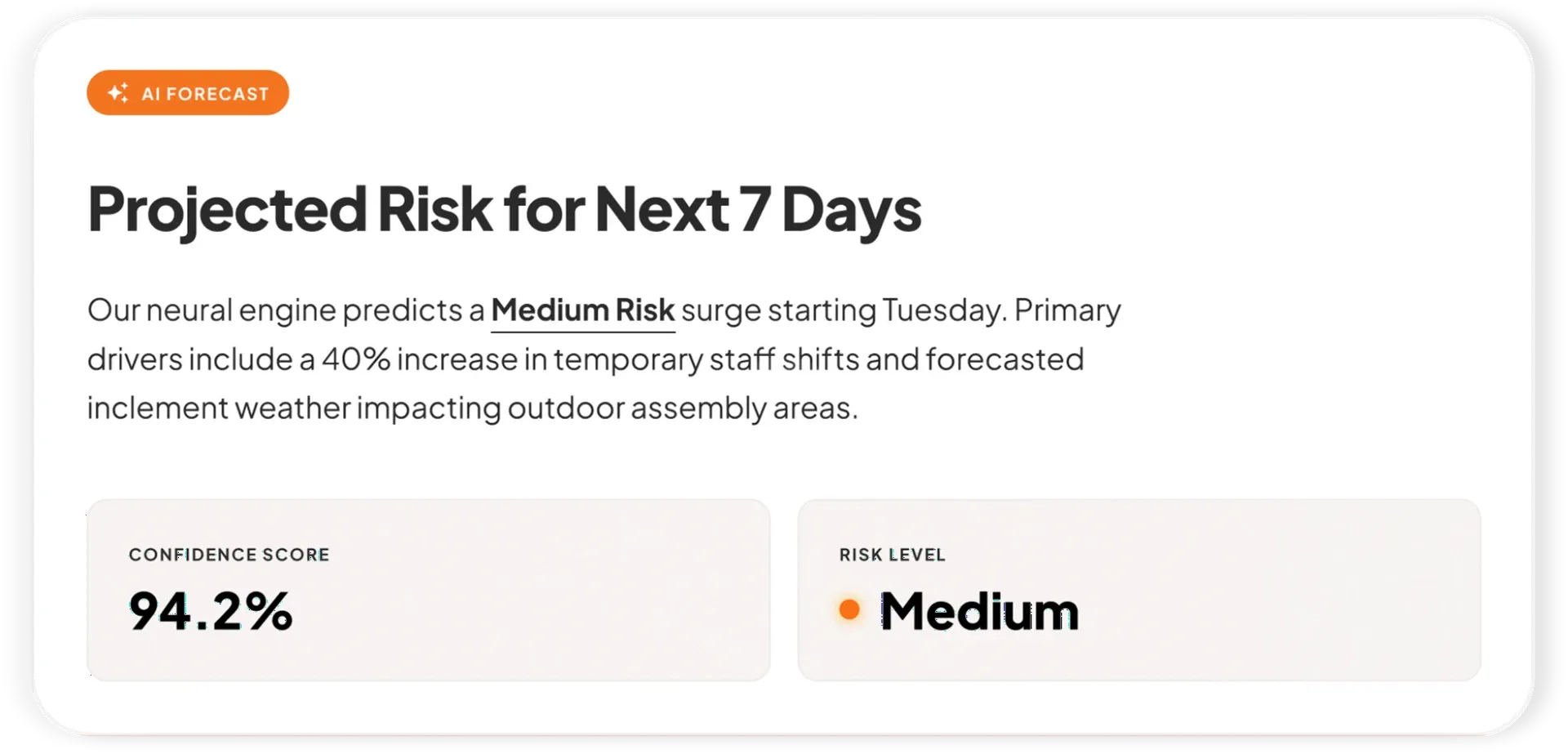
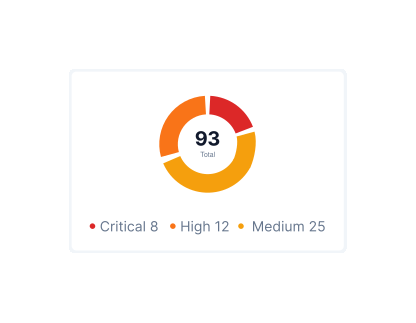
See completion, pass rate, and recurring findings across every checklist and every site, without pulling spreadsheets together at the end of the month.
What changes once permit to work inspection tracking software is standardised on Inspectly360.
Get started with inspection and audit checklist templates.

Catch defects before handover and generate punch list reports in minutes. Room-by-room finish checks, evidence, and corrective actions.

Pre-handover snagging for new build apartments. Room-by-room finish checks, MEP, and defect tracking before keys.

Utilize this Scaffolding Safety Inspection Checklist to spot hazards, verify stability, and ensure compliance with safety standards before work begins.

Capture job details, measurements, work performed, photos, and sign-offs in one structured field service report form.
Use these apps to run inspections and audits.
Permit To Work Inspection Tracking Software lets oil & gas teams run permit to work issue tracking the same way on every visit, with photos and a sign-off on each permit to work. Each permit to work issue tracking round is finished in the field, with the photos and a named sign-off attached before it submits. Photos and a signature attach to every check, which is what a client or ISO 9001 assessor asks to see later. A failed permit to work item becomes an assigned task with an owner, a deadline, and a severity.
Permit To Work compliance is something Permit To Work Inspection Tracking Software records as the work happens, not after. Renewal dates sit against every permit to work, and the system flags them before they lapse. The record shows what was checked, when, and by whom, so Compliance Managers can answer a query without rebuilding it from folders. A short daily summary flags what needs attention first, so the report is a by-product of the work. Because evidence is captured as the work happens, the permit to work trail still stands up months after the visit.
Permit To Work Inspection Tracking Software keeps the field team working on oil & gas sites with dead spots. Templates and part-finished checks stay on the phone, so inspectors capture permit to work results without hunting for a connection. Each entry is timestamped and tied to a named person and the asset, so a "done" tick always has evidence behind it. Risk shows per site as results sync, so leadership stops reconciling site reports by hand. Every permit to work record carries the inspector, the time, and the photos needed to prove the check happened.
Permit To Work Inspection Tracking Software keeps permit to work checks consistent as the portfolio grows. Completion, overdue findings, and SLA breaches roll up per site, so Operations Directors see live permit to work risk. Keep the paper backup running until the field team trusts the digital record, then retire it by choice. Client, insurer, and ISO 9001 packs export as a branded PDF in one click. Photos and a signature attach to every check, which is what a client or ISO 9001 assessor asks to see later.
Permit To Work Inspection Tracking Software makes sure a failed permit to work check is fixed, not just logged. Repeat failures on the same permit to work are flagged, so teams address the cause instead of patching it again. A failed permit to work item becomes an assigned task with an owner, a deadline, and a severity. Because evidence is captured as the work happens, the permit to work trail still stands up months after the visit. The record shows what was checked, when, and by whom, so Compliance Managers can answer a query without rebuilding it from folders.
Permit To Work rollout with Permit To Work Inspection Tracking Software starts small and proves itself before scaling. Once one permit to work workflow runs steadily, the next ones follow the same pattern with less friction. New sites inherit the approved permit to work templates on day one, so standards hold as the portfolio grows. Permit To Work Inspection Tracking Software is the mobile tool Operations Directors use to run permit to work issue tracking across every oil & gas site from one app.
Permit To Work Inspection Tracking Software on Inspectly360 connects directly to the inspection apps, checklist templates, forms, industries, and adjacent solutions linked below.
See Inspectly360 in action with a live demo tailored to your needs. No credit card required.