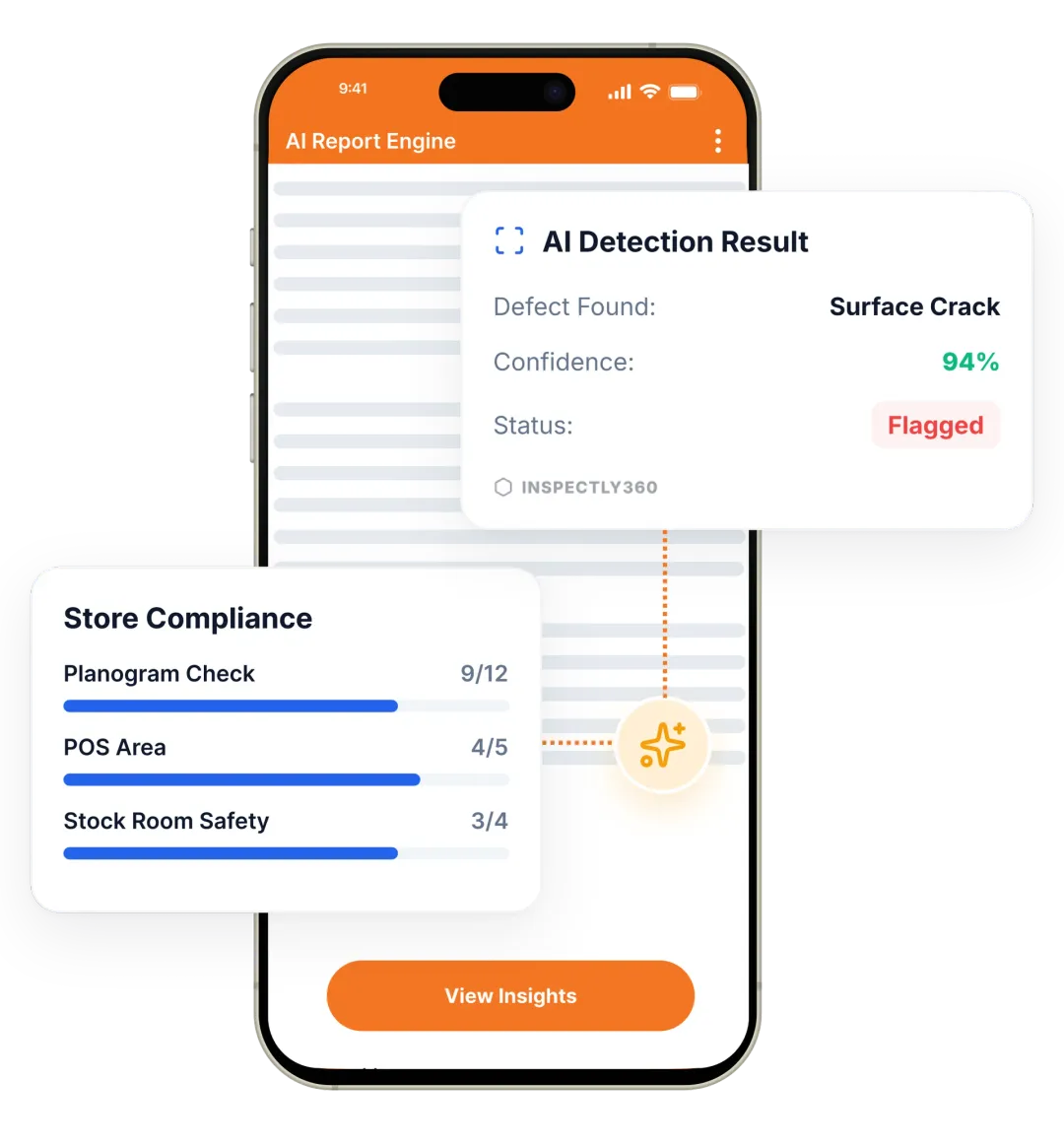

Take a Photo. AI Fills the Form
Your inspector takes a photo of any asset or defect. AI reads it and fills the inspection form automatically. No typing. No manual entry.

Convert your checklist into Mobile App
Furniture and Equipment (School) Audit App turns furniture and equipment (school) audits into a scored, repeatable programme. Auditors score each equipment item against weighted criteria, attach photo evidence, and track corrective actions to verified closure across every site. Managers compare furniture and equipment (school) audit scores across sites and track every corrective action to closure.

Furniture and Equipment (School) Audit App delivers qR-scanned inspection routes, PM scheduling, and work-order creation as the answer to reactive breakdowns and no visibility of asset condition. Tie every check to reliability-centred and condition-based maintenance practice, with corrective actions, evidence, and analytics that prove control.
Furniture and Equipment (School) Audit App keeps one record per equipment and per site, with photo evidence and a named sign-off. Each equipment finding is tracked to verified closure. Production and safety teams see equipment completion and overdue actions across the education portfolio. Every equipment record proves what was checked, when, and by whom.
A comprehensive audit for education covers the key areas that affect equipment and asset condition. Audit school furniture and equipment condition and upkeep with scoring and evidence capture. Your audit should include sections for furniture and equipment (school) condition checks, evidence capture, pass/fail or scoring criteria, corrective action assignment, and sign-off, so that nothing is missed and every audit finding is traceable.
A scored audit only helps if every auditor scores the same way. Follow these steps to run a furniture and equipment (school) audit:
Furniture and Equipment (School) Audit App covers Reliability, Asset Health, Failure Codes, Criticality, and more, with photo evidence, readings, corrective actions, and audit-ready records.
Templates align to ISO 12100, OSHA 1910.212.

Weighted criteria are built into the furniture and equipment (school) audit template.

Auditors attach photo proof for each furniture and equipment (school) non-conformance.

Scorecards rank sites and failed furniture and equipment (school) criteria become corrective actions.
Everything your field team does on paper, Inspectly360 does automatically: faster, more accurate, and without the admin.
Your inspector takes a photo of any asset or defect. AI reads it and fills the inspection form automatically. No typing. No manual entry.

Inspectors speak their observations in any language. AI transcribes and fills the form in real time. Completely hands-free in the field.

The moment an inspection is submitted, a branded PDF, Excel, or CSV report generates automatically. No manual work. No waiting.

Inspectly360 integrates with the tools your team already uses, including Zoho, Microsoft 365, and SAP. No double entry.

Your operations team sees completion rates, open issues, and compliance scores across all sites in real time. No chasing updates.
From data collection to compliance: see how teams use Inspectly360 for every use case.
Capture field data once with digital forms that work even offline.
Explore use caseRun standardized inspections with photos, scoring, and instant reports.
Explore use caseConduct structured audits with evidence trails and pass or fail scoring.
Explore use caseLog hazards, near misses, and safety checks from any job site.
Explore use caseCatch defects early with repeatable quality checks and sign off.
Explore use caseReport incidents in the moment with photos and follow up actions.
Explore use caseTrack assets, service history, and condition across every location.
Explore use caseRaise work orders and close out repairs with a full audit trail.
Explore use caseStay audit ready with logged checks, timestamps, and shareable reports.
Explore use caseUse it as a digital workflow so your team captures consistent evidence, stays aligned in the field, and produces reports stakeholders can trust without retyping answers from paper.

One auditor is strict, another is lenient, and a third skips sections. The furniture and equipment (school) audit scores come back, but leadership cannot tell whether a low score means a weak site or a tough auditor.
Problem
Solution

A defect on the equipment item is handed to equipment AMC partner. A week later the equipment item defect is marked closed. Whether the equipment item work was done well, badly, or at all, nobody has verified.
Problem
Solution

There is no live view of furniture and equipment (school) status across sites. The first sign that something failed on the equipment item is a client call or an incident, by which point the problem is already public.
Problem
Solution
Furniture and Equipment (School) Audit App covers Reliability, Asset Health, Failure Codes, Criticality. Furniture and Equipment (School) Audit App delivers qR-scanned inspection routes, PM scheduling, and work-order creation as the answer to reactive breakdowns and no visibility of asset condition. Tie every check to reliability-centred and condition-based maintenance practice, with corrective actions, evidence, and analytics that prove control. Each Reliability check is verified against its acceptance criteria, with photos, readings, and a named sign-off captured on the spot. A failed Asset Health item raises a corrective action with an owner and due date, and the completed Reliability record is retained and exportable for audit against the applicable standards.
When a Reliability check fails, Furniture and Equipment (School) Audit App logs it against Reliability or the relevant item, assigns a corrective action with an owner and due date, and tracks it to closure. Supervisors see open Asset Health issues, overdue actions, and Failure Codes completion rates across every site on one dashboard, so problems are fixed and evidenced instead of being lost between visits.
Yes. Teams complete Reliability and Asset Health checks on a phone or tablet with no signal, and records sync automatically once back online. Every Reliability record holds the items checked, the readings, the photos, and the sign-off, giving Furniture and Equipment (School) Audit App a defensible record against the applicable standards for regulators, clients, and incident investigations, without chasing paper across sites.
Furniture and Equipment (School) Audit App keeps equipment checks aligned to ISO 12100, and OSHA 1910.212. The photos and readings each equipment standard expects are required fields. So an incomplete equipment check cannot close. A equipment gap is caught before an assessor finds it. When a review is due, production and safety teams export a branded equipment pack built from guard photo, e-stop test note, and isolation point photo. So equipment evidence stays defensible at any time. The app runs on iOS and Android and works the same way for every furniture and equipment (school) inspector on the team.
Yes. Inspectors complete equipment checks on iOS or Android with no signal. They capture guard photo, e-stop test note, and isolation point photo at the equipment in the field. Each equipment record syncs when the connection returns, with its timestamp intact. The same equipment template runs on every site. So production and safety teams get a live view of equipment work that is complete, overdue, or failing per location. The app runs on iOS and Android and works the same way for every furniture and equipment (school) inspector on the team.
Every equipment audit carries guard photo, e-stop test note, and isolation point photo, a GPS location, a timestamp, and a named sign-off. The equipment evidence is captured on the round, not typed up later. So production and safety teams show exactly what was checked on the equipment, when, and by whom. When an assessor asks, that equipment record exports in seconds. It comes out as a branded PDF or a searchable equipment history. The app runs on iOS and Android and works the same way for every furniture and equipment (school) inspector on the team.
Furniture and Equipment (School) Audit App works alongside your existing equipment systems. Equipment findings and readings flow into a CMMS, ERP, or asset register through the API. So those systems hold verified equipment field data, not re-keyed notes. Furniture and Equipment (School) Audit App owns offline equipment capture, photo evidence, and a fast equipment pack from guard photo, e-stop test note, and isolation point photo. Teams add the equipment inspection layer where the evidence is captured. The app runs on iOS and Android and works the same way for every furniture and equipment (school) inspector on the team.
Explore other inspection and audit apps for education teams.
See Inspectly360 in action with a live demo tailored to your needs. No credit card required.

