



Take a Photo. AI Fills the Form
Your inspector takes a photo of any asset or defect. AI reads it and fills the inspection form automatically. No typing. No manual entry.

Convert your checklist into Mobile App
Centered on safety inspections, observations, and closed-loop corrective actions. AI safety software is the workplace safety programme platform that EHS Directors and Heads of HSE use when their programme has outgrown a single safety inspection app, an HR-system incident log, and a contractor management spreadsheet.
Available on Mobile
Inspect on iOS and Android with no internet required. Capture photos, let AI flag defects, and generate audit-ready reports in the field.
The pain it solves is the daily reality of multi-site EHS leadership: HIRA in a binder, JSAs photocopied for each crew shift, PTW in a logbook at the gatehouse, BBS observation cards keyed into Excel weeks late, incidents reported into an HR system that never feeds the safety dashboard, contractor performance discussed by reputation, and OSHA logs maintained in parallel spreadsheets that disagree between regions. The board pack assembles from sources that never reconcile.
What changes once ai safety software runs on one mobile-first platform.
Most EHS Directors consolidate standalone safety tools in this order before retiring the spreadsheets and side apps.
Move Hazard Identification and Risk Assessment, Job Safety Analysis templates, Permit-to-Work types, and standard work instructions into one versioned library with RBAC. Only approved EHS owners publish; every plant and contractor runs the current approved version.
BBS observation cards and near-miss reports capture in seconds on mobile, classify under approved behavioural and hazard categories, and feed observation-rate dashboards per supervisor, contractor, and site. Recognition workflows reinforce reporting culture rather than punishing it.
Incidents, near-misses, BBS observations, audit findings, and inspection failures all close through one CAPA queue with owners, deadlines, verification gates, and escalation rules. Total CAPA load and aging are visible at the programme level rather than scattered across three inboxes.
OSHA 300, 300A, and 301 generate from the underlying incident data with annual posting outputs. ISO 45001 clauses 9.3 (management review) and 10 (improvement) pull live from KPIs, audits, incidents, training currency, and CAPA. Management review becomes a meeting on live data rather than a quarterly rebuild.
Everything your field team does on paper, Inspectly360 does automatically: faster, more accurate, and without the admin.
Your inspector takes a photo of any asset or defect. AI reads it and fills the inspection form automatically. No typing. No manual entry.

Inspectors speak their observations in any language. AI transcribes and fills the form in real time. Completely hands-free in the field.

The moment an inspection is submitted, a branded PDF, Excel, or CSV report generates automatically. No manual work. No waiting.

Inspectly360 integrates with the tools your team already uses, including Zoho, Microsoft 365, and SAP. No double entry.

Your operations team sees completion rates, open issues, and compliance scores across all sites in real time. No chasing updates.
Manage every checklist in one connected workspace, capture evidence on mobile at the point of work, and let AI turn field inputs into clear, stakeholder-ready reports in minutes.





See which checklists your team has in progress across every site, jump into the same inspection with one tap, and keep field, supervisor, and back-office views in sync without sending screenshots on WhatsApp.






Every team reports differently. Build the report your operations, quality, or compliance leads actually want to read, share it as a branded PDF, and schedule delivery to the stakeholders who need it.



See completion, pass rate, and recurring findings across every checklist and every site, without pulling spreadsheets together at the end of the month.
What changes once ai safety software is standardised on Inspectly360.





“Inspectly360 transformed how we manage site safety inspections. The offline capability alone saved us countless hours. Our compliance rate jumped from 72% to 96% in just three months.”
Sarah Mitchell
Meridian Construction Group
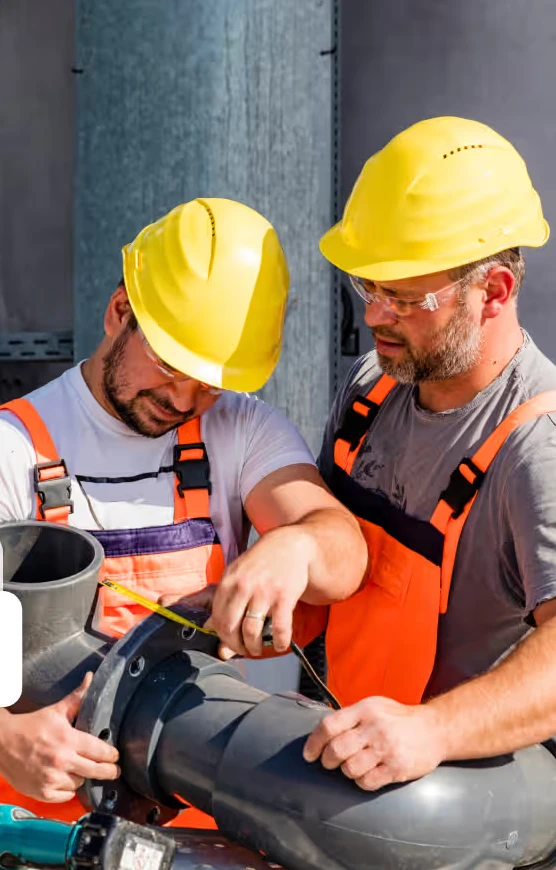
“The AI-powered defect detection has changed how we work. Our inspectors capture photos and the system flags issues we'd have missed. It's like having an expert reviewer on every site visit.”
James Chen
Pacific Manufacturing Co.
“Rolling out digital checklists across multiple projects gave us instant visibility into recurring safety issues. We now resolve critical findings in hours instead of days.”
Olivia Carter
Northbridge Infrastructure
Get started with inspection and audit checklist templates.

Safety inspections with hazard identification, corrective actions, and compliance reporting. Offline capture and evidence.
Report incidents and near-misses with details, photos, location, and timeline. Ready for safety or quality review.
Verify arc-flash labels on electrical equipment: presence, visibility, legibility, equipment identification, voltage and incident-energy information, PPE data, and label condition.
Inspect grounding and bonding systems: grounding conductors and electrodes, bonding connections, equipment grounding, continuity, corrosion, and panel connections.
Use these apps to run inspections and audits.

by Inspectly360
Safety inspections with offline capture, evidence, and compliance reporting.
by Inspectly360
Environment, health and safety inspections and audit trails.
by Inspectly360
Health, safety and environment inspections with reporting and actions.

by Inspectly360
Verify live permits-to-work with isolation checks, fire watch where required, and signed field confirmation before work starts.
by Inspectly360
Fire safety inspections with extinguisher, exit, and alarm checks.
Programme design starts from the safety risk register and the regulatory framework rather than from a checklist library. Inspectly360 lets EHS Directors define HIRA against named processes and assets, set inspection cadence and JSA requirements per hazard category, configure Permit-to-Work types against operational risk, and tie everything into one RBAC scheme. The programme becomes a structured artefact that survives EHS leadership turnover and external audit, rather than a list of forms in a tool. Inspection software runs the forms; safety software defines the programme.
Leading-indicator KPIs include BBS observation rate per supervisor and per site, near-miss reporting rate, PPE compliance from inspection findings, walk completion rate against schedule, training currency percentage, PTW review-to-execute lag, JSA refresh rate, and CAPA closure aging. Each KPI appears alongside lagging incident metrics (Total Recordable Incident Rate, Lost Time Injury Frequency Rate, Days Away Restricted Transferred) on the same dashboard. Leading indicators that only appear in supervisor folders cannot govern; leading indicators on the leadership dashboard can. AI Safety Software lets manufacturing teams run ai safety inspections the same way on every visit, with photos and a sign-off on each ai safety.
Each contractor is a first-class entity in Inspectly360 with its own scorecard covering incident rate, near-miss reporting rate, PTW compliance, BBS observation rate, training currency for the contractor crew, and CAPA closure performance. Procurement and EHS share the same view, and contractor renewal conversations open with the scorecard rather than reputation. Where contractor management platforms are already in place, the scorecard feeds into the contractor risk dashboard via API rather than creating a parallel system. AI Safety Software lets manufacturing teams run ai safety inspections the same way on every visit, with photos and a sign-off on each ai safety.
Yes. BBS observation cards capture in seconds on mobile under approved behavioural and hazard categories, with optional structured commentary. Observation-rate dashboards show participation per supervisor, per shift, and per contractor; recognition workflows reinforce reporting culture rather than punishing it. Coaching loops close within hours because reinforcement reaches the observed individual the same day rather than after the cards are keyed into Excel weeks later. The programme stays light enough for supervisors to use because the data entry overhead is removed.
PTW templates cover the common high-risk types (hot work, confined space, work at height, electrical isolation, line breaking, excavation) with required isolations, gas testing, rescue plans, and approver sign-offs encoded into the workflow. Contractors submit permit requests scoped to their engagement, EHS and operations approvers sign off in sequence, geofencing optionally confirms the work location, and permit close-out captures the post-task verification. PTW completion data feeds the contractor scorecard and the leading-indicator dashboard rather than living in a logbook at the gatehouse.
HIRA is a structured register of process and asset hazards with consequence, likelihood, and control rating, owned by named EHS personnel and refreshed on a configured cadence. JSA templates inherit applicable HIRA hazards automatically, so the JSA the crew runs reflects the actual risk register rather than a generic template. When HIRA risk ratings change, JSAs flag for refresh, PTW configurations rebalance, and inspection cadence can rebalance against the new ratings. HIRA stops being a binder on a plant manager's shelf and becomes a live programme artefact.
See Inspectly360 in action with a live demo tailored to your needs. No credit card required.













