
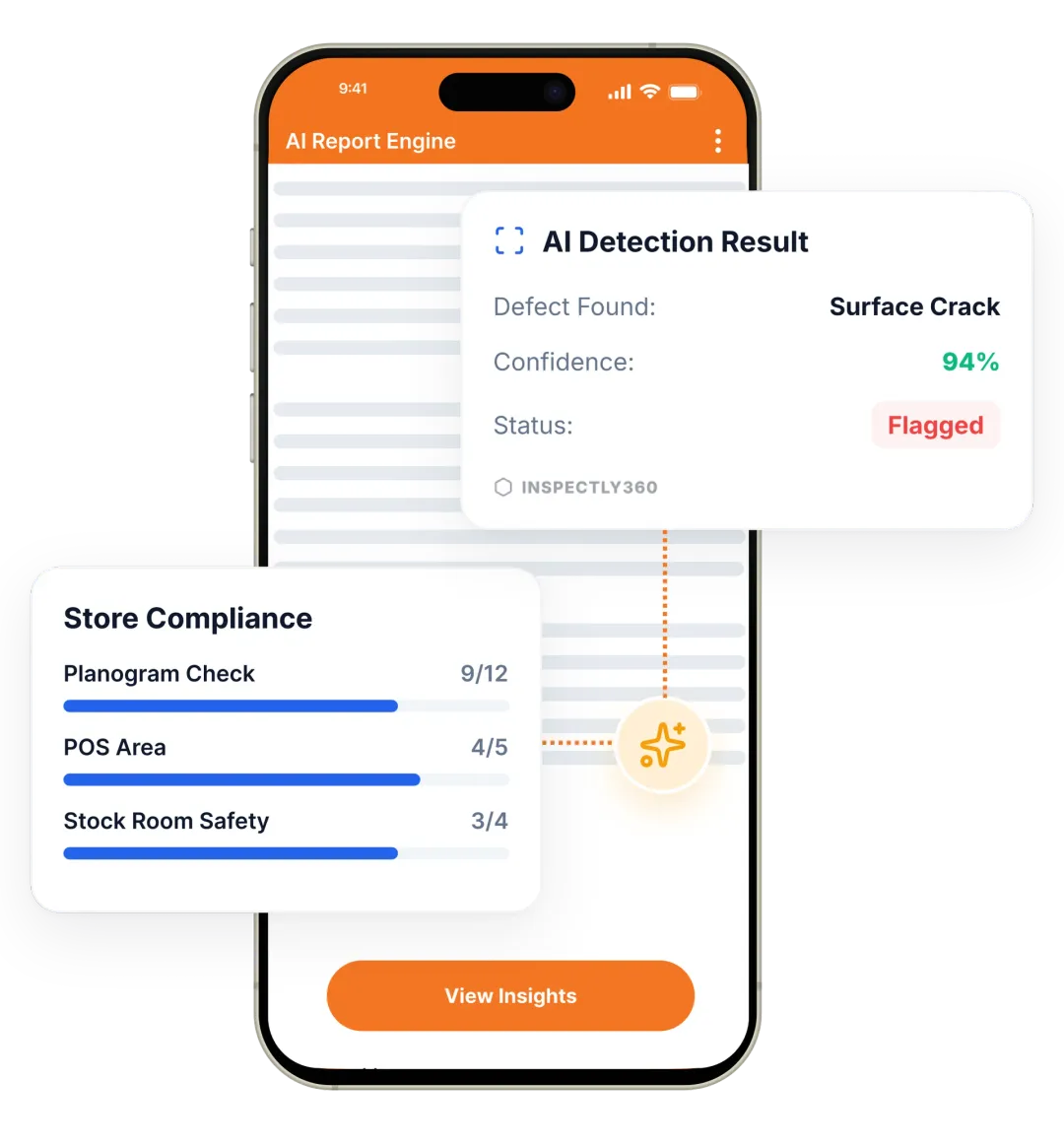

Take a Photo. AI Fills the Form
Your inspector takes a photo of any asset or defect. AI reads it and fills the inspection form automatically. No typing. No manual entry.

Convert your checklist into Mobile App
The Safety Inspection App is built for the HSE lead, the permit issuer, the performing authority, the site supervisor, and the contractor running operations across construction, oil and gas, manufacturing, energy and utilities, and any site where work-at-height, confined-space entry, hot work, electrical isolation, or LOTO requires a permit to work. The app supports the full HSE workflow: PTW issue and close, JSA and JHA capture, toolbox-talk attendance, near-miss and incident report, and the daily HSE walk.
It replaces the paper PTW pad on the supervisor's desk, the JSA file in the contractor's office, the WhatsApp incident photo, and the toolbox-talk register that nobody signs. It produces one structured HSE record per permit, per inspection, per incident, traceable to the named issuer, the performing authority, and the HSE lead, with the ISO 45001 clause 6.1.2 (hazard identification), clause 8.1.2 (operational control), and clause 10.2 (incident, non-conformity, corrective action) evidence built in.
A working HSE inspection workflow covers permit to work (PTW issue, isolation verification, performing authority sign-on, PTW close), JSA or JHA (task breakdown, hazard identification, control measure, residual risk), LOTO (isolation tag, hold tag, energy isolation verification), work-at-height (fall-protection equipment, anchor points, rescue plan), confined-space entry (atmospheric monitoring, attendant, rescue plan), incident and near-miss capture (with photo, location, time, and immediate actions), and toolbox-talk attendance with digital signatures. Each section carries photo evidence and is tied to the named role responsible for each control.
A consistent routine keeps safety inspections reliable across every site. Follow these steps to run an effective inspection:

Build the safety template with objective pass-fail criteria and schedule it to mobile teams.

Inspectors run the inspection, AI checks photos for missing PPE, blocked exits, isolation gaps, slip and trip hazards, and failed items raise corrective actions.

Dashboards built on verified safety data reveal recurring patterns on the work area across every site.
Everything your field team does on paper, Inspectly360 does automatically: faster, more accurate, and without the admin.
Your inspector takes a photo of any asset or defect. AI reads it and fills the inspection form automatically. No typing. No manual entry.

Inspectors speak their observations in any language. AI transcribes and fills the form in real time. Completely hands-free in the field.

The moment an inspection is submitted, a branded PDF, Excel, or CSV report generates automatically. No manual work. No waiting.

Inspectly360 integrates with the tools your team already uses, including Zoho, Microsoft 365, and SAP. No double entry.

Your operations team sees completion rates, open issues, and compliance scores across all sites in real time. No chasing updates.
From data collection to compliance: see how teams use Inspectly360 for every use case.
Capture field data once with digital forms that work even offline.
Explore use caseRun standardized inspections with photos, scoring, and instant reports.
Explore use caseConduct structured audits with evidence trails and pass or fail scoring.
Explore use caseLog hazards, near misses, and safety checks from any job site.
Explore use caseCatch defects early with repeatable quality checks and sign off.
Explore use caseReport incidents in the moment with photos and follow up actions.
Explore use caseTrack assets, service history, and condition across every location.
Explore use caseRaise work orders and close out repairs with a full audit trail.
Explore use caseStay audit ready with logged checks, timestamps, and shareable reports.
Explore use caseUse it as a digital workflow so your team captures consistent evidence, stays aligned in the field, and produces reports stakeholders can trust without retyping answers from paper.

A scaffold tube falls from a 4th-floor scaffold at lunch. Nobody is hit. The crew laughs, the supervisor radios it in, and the lunch break starts. By 2pm everyone is back on site and the near-miss never gets logged.
Problem
Solution

A maintenance crew opens a panel with a green tag. The tag was applied yesterday. The isolation point has been replaced overnight. Nobody walked the isolation circuit before issuing today's PTW.
Problem
Solution

An ISO 45001 surveillance asks for the attendance register for the last 90 days of toolbox talks on the main site. The site has 9 different paper registers. None of them are signed by the same set of people. The HSE lead spends two days assembling the audit pack.
Problem
Solution
Permit to work (PTW), job safety analysis (JSA) and job hazard analysis (JHA), lockout-tagout (LOTO), work-at-height (WAH) with rescue plan, confined-space entry with atmospheric monitoring, hot-work permits, energy isolation verification, incident and near-miss capture, toolbox-talk attendance with digital signatures, and the daily HSE walk. Each workflow is structured against the relevant standard (ISO 45001, OHSAS 18001, OSHA 29 CFR 1910/1926, OISD for oil and gas in India). The app supports both routine work (daily PTW for a maintenance crew) and high-hazard work (confined-space entry, hot work on a live process unit).
Each captured record maps to specific ISO 45001 clauses: clause 6.1.2 (hazard identification) is the JSA and the daily HSE walk; clause 8.1.2 (operational control) is the PTW and LOTO record; clause 10.2 (incident, non-conformity, corrective action) is the incident and near-miss workflow with the corrective action lifecycle. The ISO 45001 surveillance auditor can search by clause, by date, by site, or by named person and export the evidence pack in one click. The HSE lead does not assemble the audit pack overnight; the evidence is structured from the moment it was captured.
Yes. PTW issue, isolation verification, and the LOTO tag are captured in one record. The PTW issuer scans the panel QR tag, sees the isolation history for the panel, and photographs the current isolation state before signing the PTW. The LOTO tag is linked to the PTW, the named performing authority, and the time of isolation. If the panel state changes (a maintenance event overnight, an emergency isolation), a re-verification is required before another PTW can be issued. This is the operational control that prevents a contractor opening a panel under a stale tag.
Yes. The confined-space entry workflow includes the atmospheric monitoring log (O2, LEL, CO, H2S), the named attendant, the rescue plan, and the entry log with each entrant's name and time. The hot-work permit captures the fire-watch attendance for the duration plus 60 minutes after work ends, the fire-extinguisher inspection, and the area cleared of combustibles. Both workflows lock against the named performing authority, the standby attendant, and the issuer, with photo evidence captured throughout. The records are exactly what an OISD, OSHA 1910.146, or HSE inspector will ask for after a near-miss or an incident.
Every morning, the HSE lead receives a plain-language brief of yesterday's HSE events: PTWs issued and closed, isolations performed, incidents and near-misses captured, recurring hazards flagged, and corrective actions overdue. The brief identifies the highest-risk active permits for the day (confined-space, hot-work) and the sites with the most overdue corrective actions. The HSE lead walks into the morning meeting with the data already digested, instead of pulling spreadsheets and reconstructing the previous day from paper registers. The app runs on iOS and Android and works the same way for every safety inspector on the team.
On a construction site or an oil-and-gas turnaround, multiple contractors work in parallel. Each contractor's HSE coordinator captures their own permits, JSAs, and toolbox talks in the same app, with the main contractor or principal-contractor HSE lead having oversight of every record. Each contractor sees only their own records and their assigned corrective actions. The principal contractor sees the consolidated view across every contractor. Disputes about whether a permit was issued, an isolation verified, or a toolbox talk attended resolve against the timestamped record, not against memory or paper.
Explore other inspection and audit apps for health & safety teams.
See Inspectly360 in action with a live demo tailored to your needs. No credit card required.

