Convert your checklist into Mobile App

Contact Now
Blog & Insights

How AI Visual Inspections Speed Up Photo Review

AI visual inspections analyze photos from the field to flag defects and hazards faster. Learn how they speed up review and improve. Book a free demo.

Inspectly360 Team March 19, 2025 6 min read
How AI Visual Inspections Speed Up Photo Review

How AI Visual Inspections Speed Up Photo Review

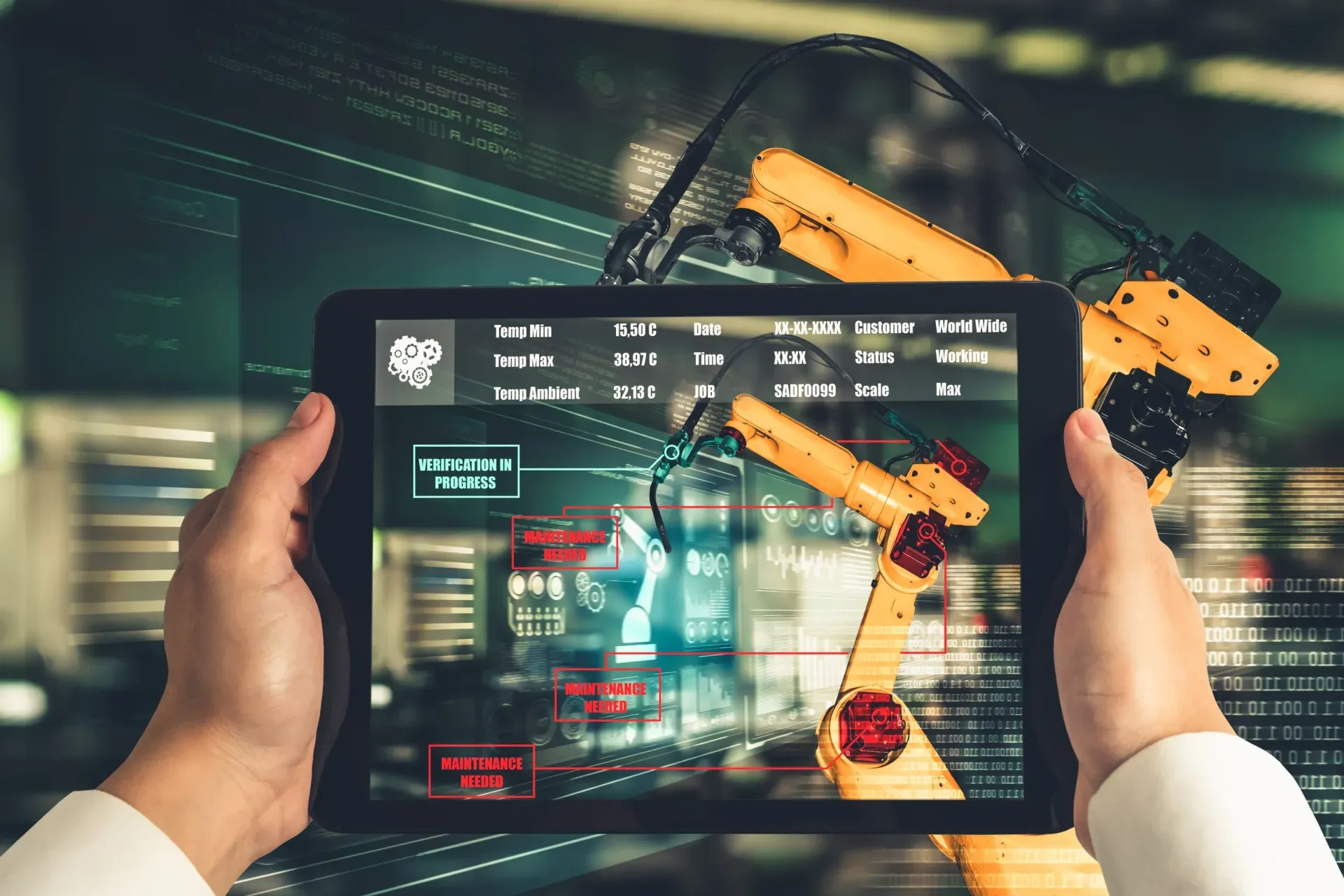
Visual inspections produce a lot of photos. Manually reviewing every image is slow and inconsistent. AI visual inspections analyze those photos and highlight areas that may need attention, speeding up review and helping inspectors focus on what matters.

Key Takeaways

  • AI visual inspections speed up photo review by pre-flagging likely issues.
  • Human review stays in the loop for confirmation and attribution.
  • Integrate analysis with your checklist and corrective action workflow.

The Photo Review Bottleneck

Inspectors capture dozens of photos per inspection. Managers and quality teams then review each image to confirm findings and assign actions. That review step is slow and subjective. AI visual inspection tools pre-analyze images and surface likely defects or hazards so reviewers can prioritize and confirm instead of starting from scratch.

How AI Fits In

AI doesn’t replace the need for human review; it narrows it. The system flags regions or items that may show defects, damage, or nonconformities. Inspectors or reviewers then confirm or correct. The result: faster review, more consistent flagging, and an audit trail that shows what was analyzed and what was confirmed.

What to Look For

Look for tools that integrate visual analysis into your existing inspection and action workflow. Results should tie to specific checklist items and corrective actions. Prefer on-device or offline analysis if your teams work in low-connectivity areas so photo review doesn’t depend on upload speed.

From Faster Review to Better Decisions

The obvious benefit of AI visual inspection is speed, but the more durable benefit is consistency in how photos are judged. When every image is pre-analyzed against the same criteria, the variation between a thorough reviewer and a rushed one shrinks, and the same defect is flagged the same way regardless of who is at the desk. That consistency is what makes the resulting data worth analyzing, because a trend only means something if the underlying findings were labelled the same way across sites and over time. Faster review also changes behavior in a useful way: when reviewing photos is no longer a bottleneck, teams are willing to capture more evidence, which strengthens the record rather than discouraging it. The goal is not to remove the human from photo review but to let them spend their attention confirming and deciding on the images that matter, instead of scrolling through hundreds of routine shots looking for the few that need action.

Keeping Photo Review Honest

Speeding up photo review only helps if the record stays trustworthy, which means the AI must assist without quietly becoming the decision-maker. Reviewers should always be able to see why an image was flagged, confirm or overturn the suggestion, and add context, with that action recorded. Reports and corrective actions should show both what the AI flagged and what the human confirmed, so an auditor or client sees a clear, accountable trail rather than an unexplained machine verdict. It also helps to watch the false-positive rate: if the tool flags too many harmless images, reviewers start dismissing everything reflexively, which defeats the purpose. Tuning the sensitivity so that a flag genuinely means look closer keeps the review meaningful. Used this way, AI visual inspection speeds up the work while preserving the human judgment and attribution that make the results defensible.

Frequently Asked Questions

What are AI visual inspections?

AI visual inspections use computer vision to analyze the photos captured during an inspection and highlight areas that may need attention, such as defects, damage, or hazards. Visual inspections produce a lot of images, and reviewing every one manually is slow and inconsistent. AI narrows that work by pre-flagging likely issues so reviewers can prioritize and confirm rather than starting from scratch on each photo. It does not replace human review; it makes it faster and more consistent. The inspector or reviewer still confirms or corrects each flagged item, and the record shows both what the AI surfaced and what the human decided, which keeps the process accountable while removing much of the manual effort.

How do AI visual inspections speed up photo review?

Inspectors often capture dozens of photos per inspection, and managers or quality teams then review each image to confirm findings and assign actions. That review step is the bottleneck, and it is slow and subjective. AI visual inspection tools pre-analyze the images and surface the ones that likely show a defect or hazard, so reviewers focus their attention where it matters instead of examining every shot equally. The result is faster review, more consistent flagging across reviewers, and an audit trail that records what was analyzed and what was confirmed. Because the human still makes the call on flagged items, speed comes without giving up accountability, and teams often capture more evidence once review is no longer a chore.

Do AI visual inspections replace human reviewers?

No. AI visual inspection narrows human review rather than removing it. The system flags regions or items that may show defects, damage, or nonconformities, and inspectors or reviewers then confirm, correct, or dismiss each one. This keeps a person accountable for every finding while using the AI to handle the tedious first pass across many images. It also preserves attribution: reports and corrective actions reflect both what the AI flagged and what the human confirmed, so audits and clients see a transparent trail. Removing the human entirely would undermine the trust the record depends on, whereas using AI to prioritize and the reviewer to decide gives both speed and defensibility.

Do AI visual inspections work offline?

They can, if the analysis runs on the device. On-device or offline visual analysis processes photos locally, so review does not depend on upload speed or connectivity, which matters when teams work in low-signal areas or capture large numbers of images. Cloud-based analysis needs a connection and can become a bottleneck if the network is slow or unavailable. For field-heavy programs, on-device analysis keeps the workflow moving wherever inspections happen, and the results sync into the inspection system once the device reconnects. Choosing a tool that can analyze photos without waiting for uploads is often the difference between review that keeps pace with the field and review that piles up whenever connectivity is poor.

What should I look for in an AI visual inspection tool?

Look for a tool that integrates visual analysis into your existing inspection and action workflow rather than sitting apart from it. Results should tie to specific checklist items and be able to become corrective actions with owners and due dates, so a flagged image turns into tracked work. Prefer on-device or offline analysis if your teams operate in low-connectivity areas, so photo review does not depend on upload speed. Check that reviewers can see why an image was flagged and can confirm or override it, with that decision recorded for the audit trail. A tool with a tunable, meaningful flag rate, clear attribution, and a direct path from finding to action delivers faster review without sacrificing the trust and accountability the record needs.


Less Paperwork. More Visibility.

See Inspectly360 in action with a live demo tailored to your needs. No credit card required.

  • 14 Days Free Trial
  • 1000+ Templates
  • Unlimited Integration