

Take a Photo. AI Fills the Form
Your inspector takes a photo of any asset or defect. AI reads it and fills the inspection form automatically. No typing. No manual entry.

Convert your checklist into Mobile App
Use this store audit pre-use checklist to inspect alarm and security, lighting and signage and cleanliness and floors on retail sites so teams can confirm the store remains serviceable, covering alarm and security, lighting and signage and cleanliness and floors, scoring each item and raising corrective actions with owners and due dates. Watch for unresolved store defects and repeat findings. Records support FSSAI for food sections, fire safety compliance and local health department rules.

Customize with your logo and company details.
Available on App
Run inspections on iOS and Android - no internet required. Capture photos, annotate defects, and generate reports in the field.
Run the Store Audit Pre-Use Checklist on the Inspectly360 app instead of paper. Inspectors capture photo evidence, work offline, and assign corrective actions on the spot, and the report generates itself the moment the inspection is signed off.

Store Audit Pre-Use Checklist
Store Audit Pre-Use Checklist Dashboard
Prioritized actions to keep operations running smoothly today.
Total Revenue
$42,680
+12% compared to last month
Active Projects
128
+8 new this week
Open Requests
56
-15 resolved this week
Operational Target
You're on track to meet this month's operational goal.
Target Task
200 ↑
Complete Task
136 ↑
Pending Task
10 ↓
Monthly Performance
Recent Client Activity
Everything your field team does on paper, Inspectly360 does automatically: faster, more accurate, and without the admin.
Your inspector takes a photo of any asset or defect. AI reads it and fills the inspection form automatically. No typing. No manual entry.

Inspectors speak their observations in any language. AI transcribes and fills the form in real time. Completely hands-free in the field.

The moment an inspection is submitted, a branded PDF, Excel, or CSV report generates automatically. No manual work. No waiting.

Inspectly360 integrates with the tools your team already uses, including Zoho, Microsoft 365, and SAP. No double entry.

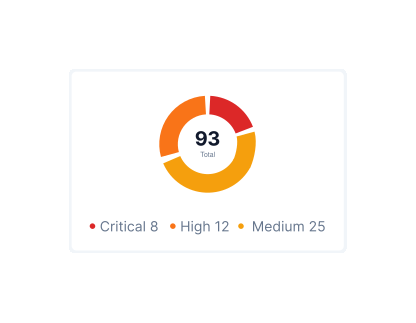
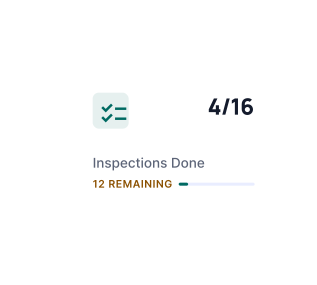
Your operations team sees completion rates, open issues, and compliance scores across all sites in real time. No chasing updates.
Manage every checklist in one connected workspace, capture evidence on mobile at the point of work, and let AI turn field inputs into clear, stakeholder-ready reports in minutes.





See which checklists your team has in progress across every site, jump into the same inspection with one tap, and keep field, supervisor, and back-office views in sync without sending screenshots on WhatsApp.






Every team reports differently. Build the report your operations, quality, or compliance leads actually want to read, share it as a branded PDF, and schedule delivery to the stakeholders who need it.



See completion, pass rate, and recurring findings across every checklist and every site, without pulling spreadsheets together at the end of the month.
Hand-picked templates for your specific industry needs.

Cash wrap and POS area snagging: counters, power, data, and security.

Mall common area snagging: flooring, ceiling, MEP, wayfinding, and life safety.

Retail punch list closeout and final snag verification.
A store pre-use check is scoped to the cadence and controls that store managers, duty managers, loss prevention officers, area managers run on a pre-use basis, not the one-off walk you use for handover or project close-out. It prompts alarm and security, lighting and signage and cleanliness and floors, watching specifically for unresolved store defects and repeat findings, records pass or fail with photo evidence on each store check on every critical item, and assigns corrective actions with owners before you sign off. Run digitally in Inspectly360, the pre-use record is timestamped, attributed to the inspector, and rolls into trend reports so repeat failures on the same store surface before the next audit. That is the difference between a tick sheet and a FSSAI for food sections, fire safety compliance and local health department rules evidence trail you can export on demand.
On this store audit pre-use checklist, store managers, duty managers, loss prevention officers, area managers verify alarm and security, lighting and signage and cleanliness and floors in order to confirm the store remains serviceable, covering alarm and security, lighting and signage and cleanliness and floors, confirm required controls are in place, and capture photo evidence on each store check on anything that fails or needs proof. Priority failure modes include unresolved store defects and repeat findings. Each checkpoint gets pass, fail, or N/A, failures raise a corrective action with an owner and due date, and closure requires re-inspection or photo proof where your retail standard demands it. The checklist works offline on mobile and syncs to one dashboard so supervisors see completion and open actions without chasing updates. Records align to FSSAI for food sections, fire safety compliance and local health department rules so an auditor can be shown the pre-use history with photos inline instead of a reconstructed spreadsheet.
This store audit pre-use checklist expects photo evidence on each store check on failed or critical items so store managers, duty managers, loss prevention officers, area managers can prove what was found on site. Findings stay open until closure is verified, and records support FSSAI for food sections, fire safety compliance and local health department rules. Run in Inspectly360, every photo, note, and sign-off stays attached to the pre-use inspection instead of living in chat threads. Each item records pass, fail, or N/A with a photo on anything that needs proof, so the result is evidence rather than a tick.
Open the Store Audit Pre-Use Checklist page and enter your work email to receive the PDF in your inbox. The PDF is printable and ready to use as-is. For the same pre-use check running as a live workflow with photo evidence per finding, automatic reports, corrective-action tracking, and offline capture, copy the template into the Inspectly360 app and start inspections in minutes. The PDF suits one-off checks; the digital version is what teams keep using once they run multiple pre-use rounds per week.
This store audit pre-use checklist checks alarm and security, lighting and signage and cleanliness and floors across retail sites. The round exists to confirm the store remains serviceable, covering alarm and security, lighting and signage and cleanliness and floors. It prioritises failure modes such as unresolved store defects and repeat findings. Store managers record pass, fail, or N/A on each item, capture photo evidence on anything that needs proof, and assign corrective actions with owners and due dates. Evidence expectations include photo evidence on each store check. Each item can carry short guidance so every inspector completes it the same way, and a failed item stays open until the fix is verified with photo proof rather than a status change. The checklist runs offline on a phone or tablet, so a weak signal on retail sites never costs a round, and results sync once the device reconnects. Run in Inspectly360, every finding is timestamped, traceable to whoever completed it, and exports as a single retail report aligned to FSSAI for food sections, fire safety compliance and local health department rules, while managers track completion, overdue items, and open corrective actions across every site on one dashboard.
A store audit pre-use checklist is a structured inspection record used by template teams to verify work, capture evidence, and track corrective actions through to closure. It guides store managers through the store audit pre-use checklist step by step to confirm the store remains serviceable, covering alarm and security, lighting and signage and cleanliness and floors, checking alarm and security, lighting and signage and cleanliness and floors and watching for unresolved store defects and repeat findings. Each checkpoint takes pass, fail, or N/A with photo evidence on each store check on anything that needs proof, building the continuous evidence retail teams need for FSSAI for food sections, fire safety compliance and local health department rules. It replaces paper forms and ad-hoc spreadsheets with one auditable workflow you can run from a phone or tablet, including offline. Each finding is timestamped, photo-evidenced, and traceable to the inspector who recorded it. Run digitally in Inspectly360, the same checklist drives the inspection, the report, and the corrective-action tracker so the loop from observation to verified fix lives in one system.
This store audit pre-use checklist is designed for store managers, duty managers, loss prevention officers, area managers working in retail. It is equally useful for site teams running daily checks, maintenance crews on planned schedules, contractors completing handover walks, and managers running multi-site oversight. Inspectly360 supports role-based access so you can assign the checklist to specific team members, restrict edits, and track completion across sites in real time. The same record is visible to the field user, the supervisor approving findings, and the manager reading the dashboard, which keeps everyone working from one source of truth.
Yes. Retail teams copy this store audit pre-use checklist into Inspectly360 and adapt it to how store managers, duty managers, loss prevention officers, area managers actually work on site. Add or reorder retail-specific checkpoints, change scoring or pass/fail logic against FSSAI for food sections, fire safety compliance and local health department rules, add conditional questions that appear only when an earlier answer triggers them, attach reference documents and standard operating procedures, and save the result as your own organisational template. Customised templates roll out across every site, are versioned so historical inspections still reference the version active at the time, and can be locked so only quality or compliance leads can edit them. This enforces a single retail standard across multiple locations without losing flexibility for site-specific variations.
Yes. In Inspectly360, every finding on this store audit pre-use checklist can become a corrective action with an owner from your store managers, duty managers, loss prevention officers, area managers pool, a due date, severity, and the photo evidence required to close it. Owners are notified, due dates trigger reminders, and overdue items escalate to the supervisor automatically. Re-inspections verify the fix has actually been completed, with photos and a digital signature on closure, which matters when FSSAI for food sections, fire safety compliance and local health department rules require demonstrable proof of remediation rather than a tick box. The full chain, from the question that flagged the issue, through the assigned action, the closure evidence, and the verification, is preserved as an auditable record you can export as a single PDF or share live with a client or auditor.

A store audit pre-use checklist is the pre-use gate that confirm the store remains serviceable, covering alarm and security, lighting and signage and cleanliness and floors that retail teams use to verify alarm and security, lighting and signage and cleanliness and floors, assign owners to failures, and close issues with proof. Common failure modes include unresolved store defects and repeat findings. It supports FSSAI for food sections, fire safety compliance and local health department rules with timestamped, photo-evidenced records. Store managers, Duty managers and Loss prevention officers own the round. Run it in the Inspectly360 mobile app to work offline, generate reports automatically, and keep a defensible audit trail.
A store audit pre-use checklist is the pre-use gate that confirm the store remains serviceable, covering alarm and security, lighting and signage and cleanliness and floors that retail teams use to check alarm and security, lighting and signage and cleanliness and floors, capture photo evidence, and track corrective actions to closure. Its job is to confirm the store remains serviceable, covering alarm and security, lighting and signage and cleanliness and floors. It replaces the paper tick sheet and the WhatsApp photo with one inspection record per scheduled round, attributed to the inspector and the site. Inspectors specifically watch for unresolved store defects and repeat findings.
Used by store managers, duty managers, loss prevention officers, area managers on retail sites, a digital store audit pre-use checklist replaces the paper form, the WhatsApp photo, and the spreadsheet log with one inspection record. Every finding carries a timestamp, the photo evidence captured at the asset, and the owner who has to close it, building the continuous trail retail teams need for FSSAI for food sections, fire safety compliance and local health department rules.
Store managers, Duty managers and Loss prevention officers still miss unresolved store defects and repeat findings when rounds are ticked without photo evidence on each store check.
Without a single inspection record, teams reconstruct alarm and security, lighting and signage and cleanliness and floors evidence from phones instead of proving FSSAI for food sections, fire safety compliance and local health department rules readiness.
A store audit pre-use checklist helps teams keep template work consistent, safe, and auditable, with the documented evidence needed for FSSAI for food sections, fire safety compliance and local health department rules. The checklist supports store managers and supervisors to:
A complete store audit pre-use checklist should cover the context of the inspection, the checkpoints you need to verify, and space for evidence and follow-up. Key elements include:
Record where and when this store audit pre-use checklist runs:
Define what each store audit pre-use checklist checkpoint verifies and how results are scored:
Make every store audit pre-use checklist finding traceable and actionable:
Follow these steps to use your store audit pre-use checklist effectively:
See how this checklist fits into Retail audit software.
This checklist runs as a mobile inspection app that works fully offline on site, with AI-powered defect detection on every photo. To see it on your own workflows, talk to our team.
See Inspectly360 in action with a live demo tailored to your needs. No credit card required.













