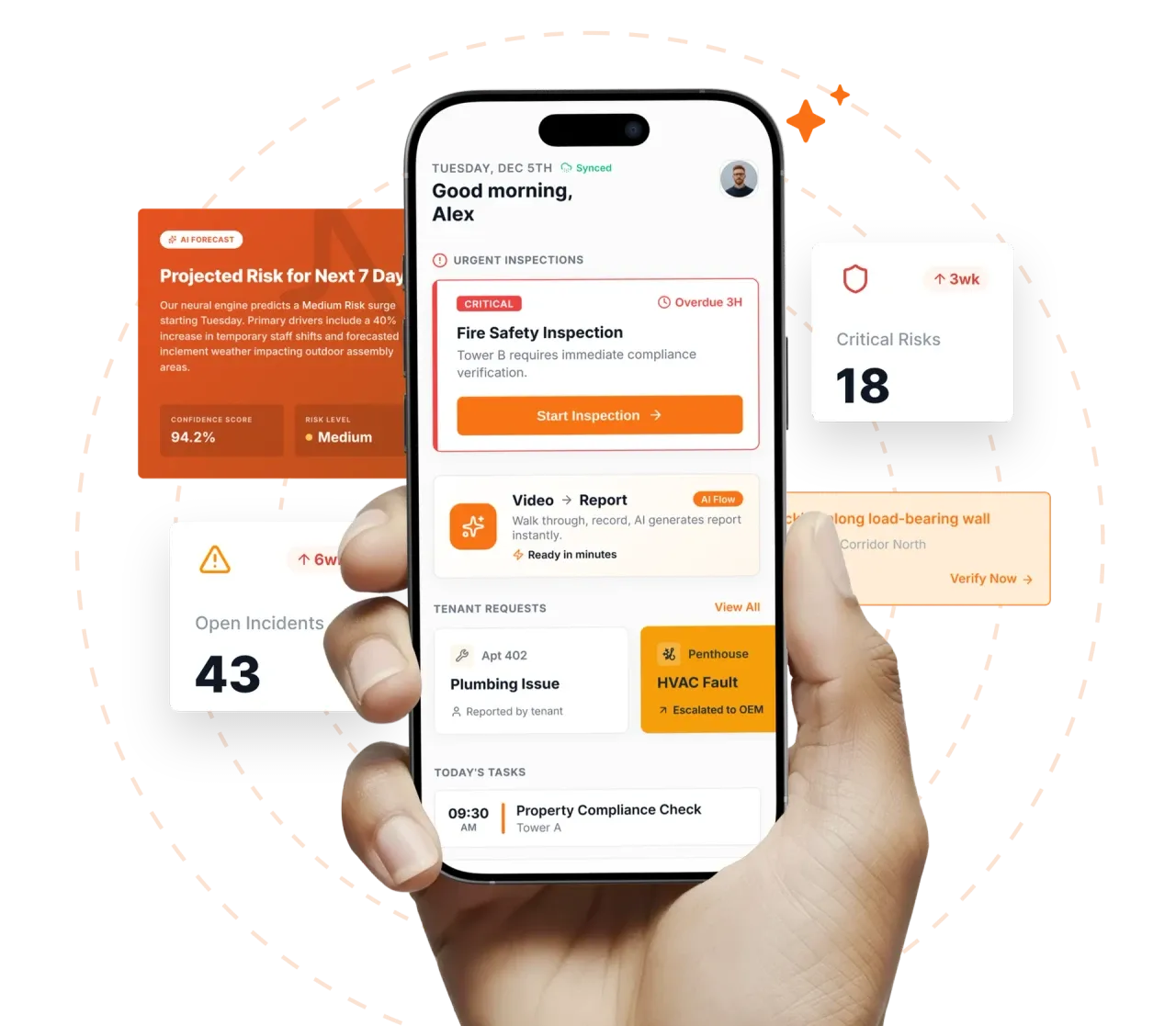

Take a Photo. AI Fills the Form
Your inspector takes a photo of any asset or defect. AI reads it and fills the inspection form automatically. No typing. No manual entry.

Convert your checklist into Mobile App
Asset Inspection Management Software is the platform Asset Manager, FM Director, Maintenance Planner use to run structured asset inspection programmes across single buildings and multi-site portfolios with defensible evidence at every step. Inspectly360 digitises field capture aligned to ISO 55001, ISO 41001, with QR-tagged asset identity, offline mobile rounds, statutory renewal clocks, AI photo review, and branded PDF exports when engineers close out.
Asset Inspection Management Software is the platform Asset Manager, FM Director, Maintenance Planner use to run structured asset inspection programmes across single buildings and multi-site portfolios with defensible evidence at every step. Inspectly360 digitises field capture aligned to ISO 55001, ISO 41001, with QR-tagged asset identity, offline mobile rounds, statutory renewal clocks, AI photo review, and branded PDF exports when engineers close out. Programme owners replace paper checklists, WhatsApp photo trails, and spreadsheet trackers that break down when auditors, insurers, or client SLA reviews ask for proof across dozens of sites. Condition surveys happen every three years but the results sit in a consultant's report that never updates the asset register the FM team uses daily.
What changes once asset inspection management software runs on one mobile-first platform.
Asset Managers implement management controls before scaling asset inspection across the portfolio.
For Facilities Management teams running asset inspection management, choose the asset inspection checklist aligned to ISO 55001 and client SLA requirements. Each pack carries the rubric regulators and client contracts expect.
In Facilities Management asset inspection management operations, engineers scan the QR tag on the asset or zone. Service history, last inspection date, and open CAPA surface on the device before work starts.
Across the asset inspection management portfolio, capture photos, readings, and signatures in plant rooms and restricted areas without signal. AI suggests defect classification for engineer confirmation.
On asset inspection management programmes, failed items receive severity, owner, deadline, and required closure evidence. Contractors get scoped access to their assigned issues only.
For asset inspection management field teams, branded PDFs generate on close-out. Renewal clocks update with alerts for the next asset inspection cycle.
Everything your field team does on paper, Inspectly360 does automatically: faster, more accurate, and without the admin.
Your inspector takes a photo of any asset or defect. AI reads it and fills the inspection form automatically. No typing. No manual entry.

Inspectors speak their observations in any language. AI transcribes and fills the form in real time. Completely hands-free in the field.

The moment an inspection is submitted, a branded PDF, Excel, or CSV report generates automatically. No manual work. No waiting.

Inspectly360 integrates with the tools your team already uses, including Zoho, Microsoft 365, and SAP. No double entry.

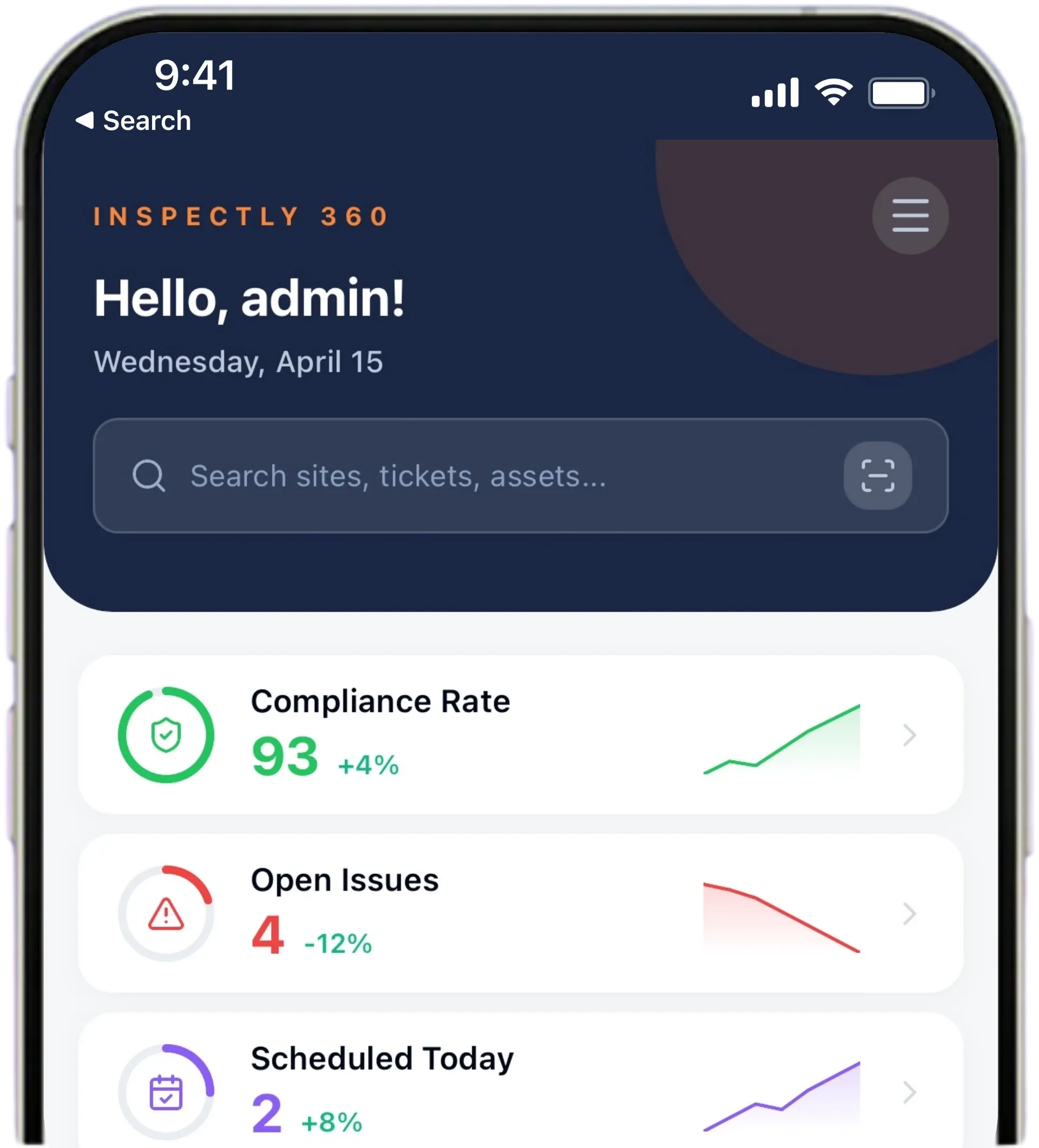
Your operations team sees completion rates, open issues, and compliance scores across all sites in real time. No chasing updates.
Manage every checklist in one connected workspace, capture evidence on mobile at the point of work, and let AI turn field inputs into clear, stakeholder-ready reports in minutes.





See which checklists your team has in progress across every site, jump into the same inspection with one tap, and keep field, supervisor, and back-office views in sync without sending screenshots on WhatsApp.






Every team reports differently. Build the report your operations, quality, or compliance leads actually want to read, share it as a branded PDF, and schedule delivery to the stakeholders who need it.


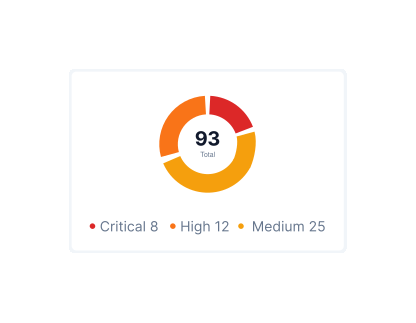
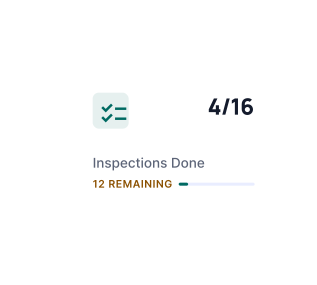
See completion, pass rate, and recurring findings across every checklist and every site, without pulling spreadsheets together at the end of the month.
What changes once asset inspection management software is standardised on Inspectly360.
Get started with inspection and audit checklist templates.

Standard site-level inspections for construction, safety, and compliance. Capture conditions, photos, and follow-ups in one place.

Inspect assets and equipment: condition, location, photos, and maintenance history. Track condition over time.

Complete work orders with checklist items, photos, and sign-off. Track completion and proof of work.

Preventive and corrective maintenance inspections. Log repairs, parts, and condition with photos and follow-ups.
Use these apps to run inspections and audits.

by Inspectly360
Simplify facilities inspections with forms, photos, and reports.

by Inspectly360
Building condition and compliance inspections with evidence and follow-ups.

by Inspectly360
Digitize building inspection apps workflows with forms, evidence capture, and automated reporting.

by Inspectly360
Run building inspections on phones and tablets with offline forms, photo evidence, and instant reports.

by Inspectly360
Audit buildings with structured scoring, photo evidence, and corrective action tracking across portfolios.
Asset Inspection Management Software centralises the approved asset inspection programme library with version control, pushes recurring cycles to the right engineer or contractor by site, and scopes RBAC so each party sees only entitled assets. Asset Managers configure escalation when inspection windows are missed, preventing silent gaps that paper PPM sheets hide until audit week. Scheduling aligns to ISO 55001, ISO 41001 frequencies and client SLA cadence from one console rather than parallel spreadsheets per region. Programme analytics show coverage heatmaps by site, contractor, and asset class so leadership spots drift before regulators or clients do.
Approved templates publish from a single library; site-specific overrides require authorisation and carry version history. When Asset Managers update a rubric for a new regulation or client requirement, every entitled site receives the latest version on the next scheduled cycle without email attachments or shared drives. Contractors cannot fork uncontrolled copies that fail audit comparison. This ends the common FM failure mode where Building A runs last year's checklist while Building B already adopted the updated standard. Version history supports regulator and client reviews.
Historical asset inspection records are imported as searchable evidence rather than re-typed. Existing PDFs, scanned forms, and Excel issue logs attach to the same asset, site, or zone record they originally referenced. Statutory clocks, AMC renewal dates, and PPM cadence are seeded from the current vendor schedule and validated against the asset register during onboarding. Field teams keep the paper backup for the first two inspection cycles, which builds the trust that lets the paper backup be retired by choice rather than by mandate.
Asset Inspection Management Software moves asset inspections off paper, WhatsApp, and spreadsheets into one timestamped record per asset. Inspectors record findings, readings, and photos on site, even with no signal, and each asset check syncs when the connection returns. Photos and a signature attach to every check, which is what a client or ISO 41001 assessor asks to see later. When an inspector flags a problem, it routes to whoever owns the fix and reports back once it is done.
Asset compliance is something Asset Inspection Management Software records as the work happens, not after. When an assessor arrives, the ISO 41001 pack is already built as a branded PDF and a searchable history. The record shows what was checked, when, and by whom, so Compliance Managers can answer a query without rebuilding it from folders. Client, insurer, and ISO 41001 packs export as a branded PDF in one click. Photos and a signature attach to every check, which is what a client or ISO 41001 assessor asks to see later.
Asset Inspection Management Software on Inspectly360 connects directly to the inspection apps, checklist templates, forms, industries, and adjacent solutions linked below.
See Inspectly360 in action with a live demo tailored to your needs. No credit card required.