
“Inspectly360 transformed how we manage site safety inspections. The offline capability alone saved us countless hours. Our compliance rate jumped from 72% to 96% in just three months.”
Sarah Mitchell
Meridian Construction Group

Convert your checklist into Mobile App
Looking for construction project management software built around how your site teams work? We provide it. Inspectly360 delivers a tailored construction solution on our mobile platform, configured to your projects and site workflows and integrated with the scheduling and finance tools you already run. Book a demo to scope it.
Construction project management software helps contractors and project teams plan, schedule, track, and document construction projects. Inspectly360 provides a construction solution tailored to your operation, built on our mobile workflow, evidence, and reporting platform and configured to your site processes, integrated with the scheduling and finance tools you already run.
Without it, projects run across drawings, spreadsheets, emails, and site WhatsApp groups. Task management is informal, contractor management and subcontractor management are verbal, project documentation is scattered, and issue management happens too late. Progress tracking is a guess, and construction reporting is rebuilt for every meeting.
Project teams standardise this loop before scaling across projects.
Construction project planning and project scheduling set milestones, tasks, and resources, so the project starts from a shared plan rather than assumptions.
Task management assigns work, and contractor management and subcontractor management coordinate responsibilities, so everyone knows what they own.
Progress tracking and budget tracking update against the plan, so slippage and cost drift are visible while there is still time to act.
Issue management routes problems to owners, and project documentation keeps drawings, approvals, and records in one place.
Construction reporting rolls progress up for stakeholders, and project collaboration keeps the team working from one current picture.
Inspectly360 is the project execution and coordination layer. It runs planning, scheduling, tasks, contractor coordination, documentation, progress, issues, and reporting, and links to inspection and compliance tools for site checks. Where you run accounting or estimating systems, project and budget data can connect, so the project management stays the coordination hub without replacing your financial or design systems.
Validate four things in the pilot. First, that planning and scheduling fit how you structure projects. Second, that contractor and subcontractor coordination matches your delivery model. Third, that documentation and version control suit your drawings and approvals. Fourth, that progress and budget tracking reflect how you report. Run one project end to end so the coordination is proven before it scales across the portfolio.
Project records support delivery and dispute resolution, so their integrity matters. Inspectly360 enforces role-based access so site teams, contractors, and directors each see what they should. Documents, approvals, tasks, and issues are logged and retained, so a project's history is complete and defensible if a dispute or a defect claim arises later.
What Construction Project Management Software covers for your team.
Project directors comparing Inspectly360 to spreadsheets and chat see the difference on five points: plan visibility, coordination, progress accuracy, documentation, and issue control.
| Capability | Without Inspectly360 | With Inspectly360 |
|---|---|---|
| Plan visibility | The plan lives in a scheduler nobody updates, so the team works from an out-of-date view of the project. | Construction project planning and scheduling stay current, so everyone works from one live project plan. |
| Contractor coordination | Contractor and subcontractor responsibilities are verbal, so handoffs are missed and blame follows delays. | Contractor management assigns clear responsibilities, so coordination is explicit and handoffs are tracked. |
| Progress accuracy | Progress is estimated in meetings, so slippage is discovered late when recovery is expensive. | Progress tracking updates against the plan, so slippage is visible early enough to act on. |
| Documentation | Drawings, approvals, and records scatter across email and drives, so the current document is never certain. | Project documentation is centralised, so the current drawing, approval, and record are always to hand. |
| Issue control | Issues surface in chat and are forgotten, so problems recur and nobody owns the fix. | Issue management routes each problem to an owner with a deadline, so issues are resolved and recorded. |
Manage every checklist in one connected workspace, capture evidence on mobile at the point of work, and let AI turn field inputs into clear, stakeholder-ready reports in minutes.





See which checklists your team has in progress across every site, jump into the same inspection with one tap, and keep field, supervisor, and back-office views in sync without sending screenshots on WhatsApp.






Every team reports differently. Build the report your operations, quality, or compliance leads actually want to read, share it as a branded PDF, and schedule delivery to the stakeholders who need it.



See completion, pass rate, and recurring findings across every checklist and every site, without pulling spreadsheets together at the end of the month.
What changes once construction project management software is standardised on Inspectly360.






“Inspectly360 transformed how we manage site safety inspections. The offline capability alone saved us countless hours. Our compliance rate jumped from 72% to 96% in just three months.”
Sarah Mitchell
Meridian Construction Group

“The AI-powered defect detection has changed how we work. Our inspectors capture photos and the system flags issues we'd have missed. It's like having an expert reviewer on every site visit.”
James Chen
Pacific Manufacturing Co.
“Rolling out digital checklists across multiple projects gave us instant visibility into recurring safety issues. We now resolve critical findings in hours instead of days.”
Olivia Carter
Northbridge Infrastructure
Get started with inspection and audit checklist templates.

Catch defects before handover and generate punch list reports in minutes. Room-by-room finish checks, evidence, and corrective actions.

Pre-handover snagging for new build apartments. Room-by-room finish checks, MEP, and defect tracking before keys.
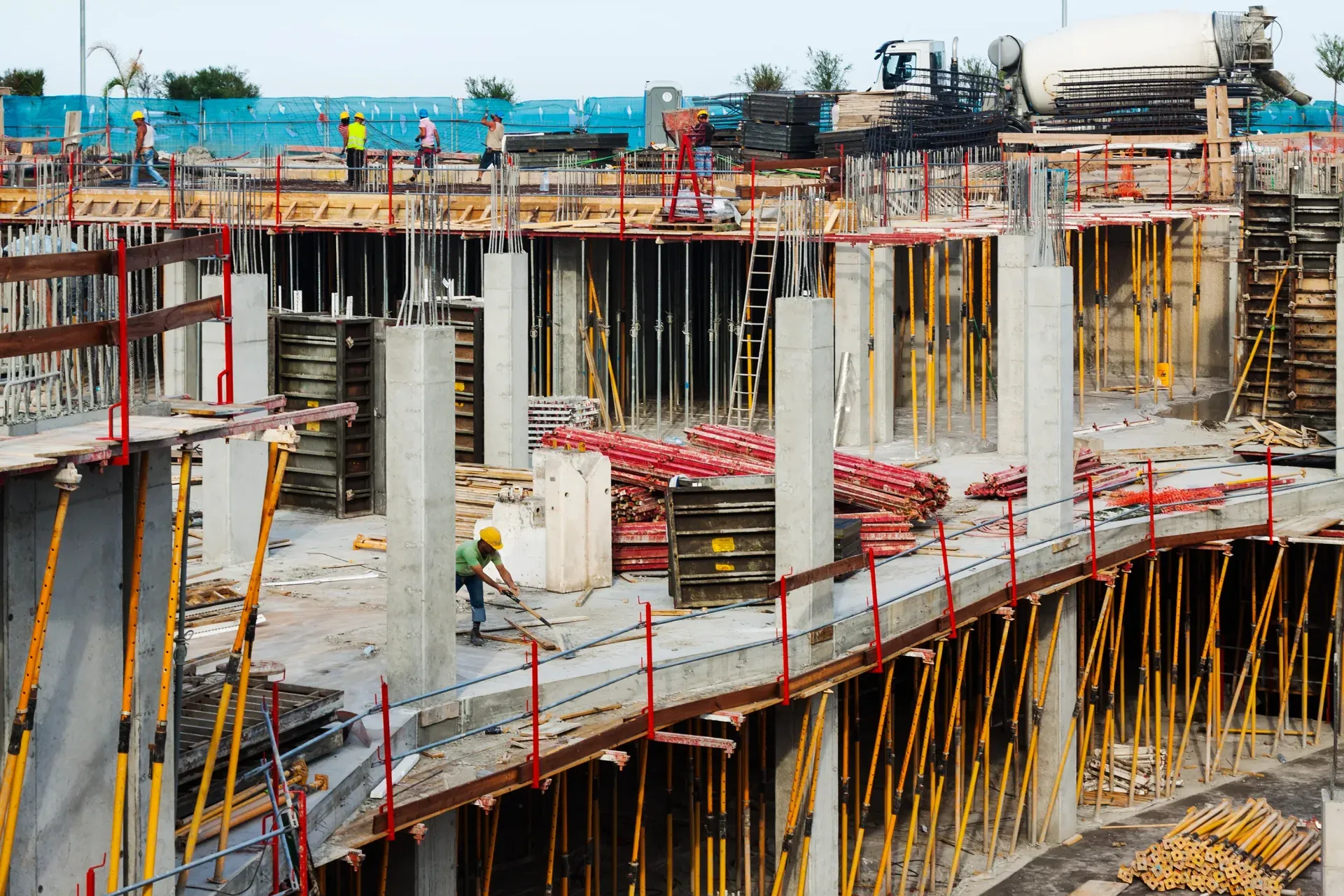
Utilize this Scaffolding Safety Inspection Checklist to spot hazards, verify stability, and ensure compliance with safety standards before work begins.

Capture job details, measurements, work performed, photos, and sign-offs in one structured field service report form.
Use these apps to run inspections and audits.

by Inspectly360
Simplify facilities inspections with forms, photos, and reports.

by Inspectly360
Building condition and compliance inspections with evidence and follow-ups.

by Inspectly360
Digitize building inspection apps workflows with forms, evidence capture, and automated reporting.

by Inspectly360
Run building inspections on phones and tablets with offline forms, photo evidence, and instant reports.

by Inspectly360
Audit buildings with structured scoring, photo evidence, and corrective action tracking across portfolios.
Construction project management software is the umbrella for running a project: planning, scheduling, tasks, contractor coordination, documentation, progress, budget, issues, and collaboration. Construction inspection software focuses specifically on field inspections and compliance checks, quality, safety, and snagging on site. The two are complementary, and Inspectly360 links project management to inspection pages rather than merging them, because they serve different needs. If you need to run and coordinate the whole project, this is the page. If your focus is conducting and recording site inspections and compliance, that is the inspection page. Keeping them distinct means the project management stays broad and the inspection tools stay deep, rather than one page trying to do both jobs poorly.
It makes responsibilities explicit rather than verbal. Contractor management and subcontractor management assign clear ownership of tasks and deliverables, with handoffs and dependencies tracked, so everyone knows what they own and what they are waiting on. Most construction delays occur in the gaps between trades, where a handoff is assumed rather than confirmed, and the resulting slippage is followed by disputes over who was responsible. By making coordination explicit and tracked, the software closes those gaps and provides a record of what was agreed and when. This turns coordination from a series of site conversations that nobody can later verify into a shared, accountable plan that keeps trades moving in the right sequence.
Yes. Progress tracking updates against the project plan so the team sees how actual completion compares to the schedule, and budget tracking shows cost against plan alongside it. Seeing both together is what makes early intervention possible: a project that is slipping on schedule or drifting on cost is visible while there is still time to recover, rather than being discovered at a milestone review when options are limited and expensive. This live view replaces progress that is estimated in meetings and budgets reconciled after the fact. Stakeholders get an accurate picture from the same data the site works from, so construction reporting reflects reality rather than optimistic estimates prepared for the meeting.
Project documentation centralises drawings, approvals, site records, and project history in one place, with version control so the current version is unambiguous. Working from the wrong drawing is one of the most common and costly errors in construction, and centralised, version-controlled documentation ensures the site always uses the current approved version. Approvals and records are captured against the project, so its history is complete and retrievable. This matters both during the project, when the team needs the right information quickly, and afterwards, when a dispute or a defect claim requires proof of what was approved, built, and recorded, which scattered email and drive-based documentation can rarely provide reliably.
Yes. Contractors and project teams running several projects use it to manage each with its own plan, tasks, contractors, documentation, and reporting, while seeing progress across the portfolio. Role-based access lets site teams work on their project while project directors see the whole picture, so a growing business does not fragment into separate spreadsheets per job. Project collaboration keeps everyone on a project working from one current view, and standardised construction workflows mean each new project starts from a proven structure rather than being set up from scratch. This makes it workable from a single project up to a portfolio, with consistent planning, tracking, and reporting across all of them.
See Inspectly360 in action with a live demo tailored to your needs. No credit card required.













