
Take a Photo. AI Fills the Form
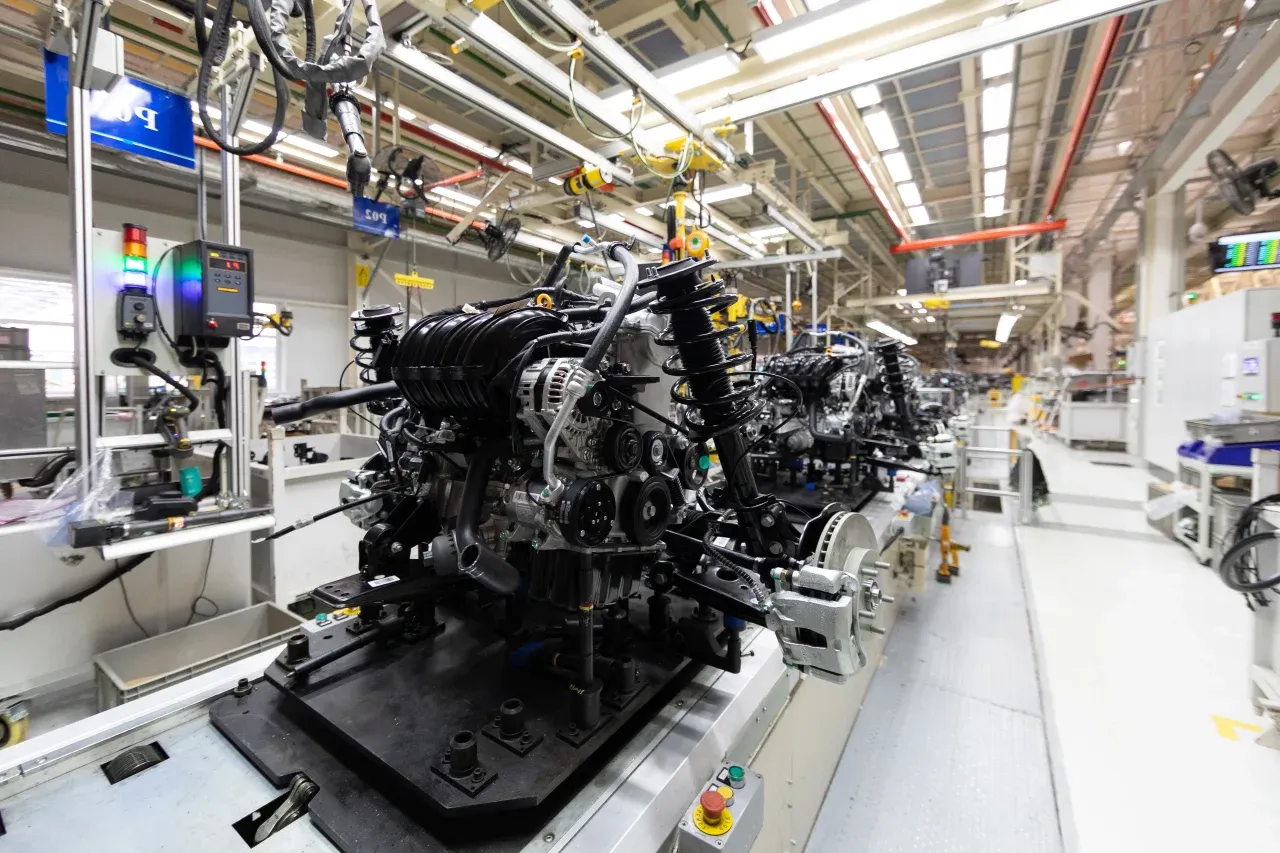
Your inspector takes a photo of any asset or defect. AI reads it and fills the inspection form automatically. No typing. No manual entry.

Convert your checklist into Mobile App
AI quality inspection software is the platform that Quality Directors, Plant QC Managers, and Store Operations Directors use to run incoming, in-process, final, supplier, and brand-standard inspections with AI visual defect detection and structured AQL sampling discipline.
Available on Mobile
Inspect on iOS and Android with no internet required. Capture photos, let AI flag defects, and generate audit-ready reports in the field.
The pain it solves is well known to any quality leader: defects logged hours after detection without operator or lot context, reviewers scrolling thousands of line photos at end-of-shift to find the few that matter, AQL sampling plans drifting toward convenience sampling between shifts, NCRs that take days to trace back to the supplier batch, FAI records and production NCRs that never reconcile until a customer escape forces the analysis, CoA packs reassembled by hand for every customer who asks, and retail brand-standard audits living in a separate tool that never connects to factory QC. Late escapes cost more than early detection every time, and disconnected systems are how escapes become recurring.
What changes once ai quality inspection software runs on one mobile-first platform.
Manufacturing and retail quality teams adopt this loop before scaling across lines, sites, or store regions. Pharma customers add CSV validation gates with their quality unit.
QC engineering documents sampling plans (ISO 2859 / ANSI Z1.4 switching rules), visual criteria, measurement fields with USL and LSL, the defect taxonomy, and required evidence per inspection point.
Inspectors and store auditors work offline on tablets or phones; lot, SKU, work order, operator, and supplier attach automatically from QR or barcode scans.
On-device AI scores defects by anomaly likelihood and severity; QC engineers disposition every anomaly; custom models train on your defect catalogue for line-specific accuracy.
NCRs route through disposition workflows (rework, scrap, return, use-as-is); CAPAs require closure evidence and link back to FAI, supplier batch, and recurrence indicators via /features/notifications.
SPC charts, Pareto views, line and shift comparisons, supplier scorecards, customer CoA packs, and brand-standard store audit reports generate via /features/analytics and /features/automated-reports.
Everything your field team does on paper, Inspectly360 does automatically: faster, more accurate, and without the admin.
Your inspector takes a photo of any asset or defect. AI reads it and fills the inspection form automatically. No typing. No manual entry.

Inspectors speak their observations in any language. AI transcribes and fills the form in real time. Completely hands-free in the field.

The moment an inspection is submitted, a branded PDF, Excel, or CSV report generates automatically. No manual work. No waiting.

Inspectly360 integrates with the tools your team already uses, including Zoho, Microsoft 365, and SAP. No double entry.

Your operations team sees completion rates, open issues, and compliance scores across all sites in real time. No chasing updates.
Manage every checklist in one connected workspace, capture evidence on mobile at the point of work, and let AI turn field inputs into clear, stakeholder-ready reports in minutes.





See which checklists your team has in progress across every site, jump into the same inspection with one tap, and keep field, supervisor, and back-office views in sync without sending screenshots on WhatsApp.






Every team reports differently. Build the report your operations, quality, or compliance leads actually want to read, share it as a branded PDF, and schedule delivery to the stakeholders who need it.



See completion, pass rate, and recurring findings across every checklist and every site, without pulling spreadsheets together at the end of the month.
What changes once ai quality inspection software is standardised on Inspectly360.







“Inspectly360 transformed how we manage site safety inspections. The offline capability alone saved us countless hours. Our compliance rate jumped from 72% to 96% in just three months.”
Sarah Mitchell
Meridian Construction Group

“The AI-powered defect detection has changed how we work. Our inspectors capture photos and the system flags issues we'd have missed. It's like having an expert reviewer on every site visit.”
James Chen
Pacific Manufacturing Co.
“Rolling out digital checklists across multiple projects gave us instant visibility into recurring safety issues. We now resolve critical findings in hours instead of days.”
Olivia Carter
Northbridge Infrastructure
Get started with inspection and audit checklist templates.

Use this Shift Start Production Readiness inspection to verify critical checkpoints and safety controls, compliance records and sign-off and corrective actions with photo evidence…

Use this End of Shift Shutdown & Handover inspection to verify critical checkpoints and safety controls, compliance records and sign-off and corrective actions with photo evidence…
Use these apps to run inspections and audits.

by Inspectly360
Quality checks with pass/fail, defect logging, and trends.

by Inspectly360
Incoming material and receipt inspections with acceptance criteria.
by Inspectly360
GMP inspections for pharma and regulated manufacturing.

by Inspectly360
In-process and WIP inspections with defect capture.

by Inspectly360
Run store audits across locations with structured criteria, photo evidence, and corrective action tracking.
Line inspection (in-process QC, continuous sampling during a production run) and lot inspection (final inspection, incoming inspection, FAI sampling of a defined batch) use different sampling logic and acceptance rules, and the platform configures them differently. Line inspections operate on shift-based or hour-based sampling cadences with running averages feeding SPC charts and control-limit alerts. Lot inspections operate on AQL sampling plans against the lot population with AC/RE numbers driving accept/reject decisions and switching rules (normal, tightened, reduced) across consecutive lots. Both flow into the same NCR-to-CAPA chain so a line-detected trend and a lot-rejected batch from the same supplier connect rather than living in separate systems.
AQL sampling logic encodes into the inspection template at design time. Each programme specifies the population definition (lot size, time window), the inspection level (special or general), the AQL value, the sampling plan basis (ISO 2859-1 / ANSI Z1.4), the sample size code letter, and the AC/RE numbers per the relevant table. Switching rules between normal, tightened, and reduced inspection apply automatically based on the rolling history of accepts and rejects on consecutive lots from the same supplier or line. Inspectors see the required sample size for the current lot and the AC/RE thresholds inline; they do not look up a separate table. The audit trail captures the plan version, the random seed used for selection, and the switching state at the time of inspection.
The defect taxonomy is a versioned reference list maintained by QC engineering at the corporate or site level. Each defect class carries a name, definition, severity tier (critical, major, minor per ISO 2859-1), example images, and acceptance criteria. Inspectors classify defects against this taxonomy on the mobile app, and AI defect detection trains against the same taxonomy so the human and the model use one vocabulary. Updates to the taxonomy propagate to every inspection template that references it, with version history showing when a defect class was added, renamed, or split. Custom defect classes specific to a product or line extend the corporate taxonomy without overwriting it.
Supplier scorecards aggregate inspection-by-inspection performance across measurable axes: incoming defect rate by lot, NCR recurrence by defect class, corrective action effectiveness (re-occurrence after CAPA), on-time supplier response to NCRs, and severity-weighted defect score. The scorecard surfaces at the moment a supplier engineer or procurement leader is making a sourcing or renewal decision, so the data is in front of the decision rather than buried in a quarterly review pack. Suppliers can see their own scorecard through scoped access, which makes the metric a coaching tool as well as a sourcing tool. Scorecards aggregate across sites for organisations that source the same component into multiple plants.
A failed inspection auto-creates a non-conformance report (NCR) tied to lot, SKU, work order, operator, supplier, and the originating inspection record. The NCR carries the defect class, severity, photo evidence, and inspector notes. Disposition workflows route the NCR through review (rework, scrap, return to supplier, use-as-is with deviation, regrade) with the disposition decision owner named and the rationale captured. A CAPA spawns from the NCR with corrective action (containing the immediate cause) and preventive action (preventing recurrence) tracked separately. CAPA closure requires verification evidence; the chain is auditable end to end for ISO 9001, IATF 16949, and AS9100 reviews without manual reconstruction.
FAI runs as a structured inspection programme aligned to AS9102 for aerospace or PPAP Level 3-style submissions for automotive, depending on the customer requirement. The FAI template captures every characteristic from the drawing or specification with measurement, tolerance reference, instrument used, operator identity, and pass/fail. FAI photo evidence attaches to each characteristic for visual reference. The FAI record links to the work order, the production lot it qualifies, and any subsequent production NCRs against the same characteristic, so recurring defects against FAI-approved characteristics surface immediately rather than during a customer escape investigation. Customer-facing FAI packs export in the customer's required format.
See Inspectly360 in action with a live demo tailored to your needs. No credit card required.